
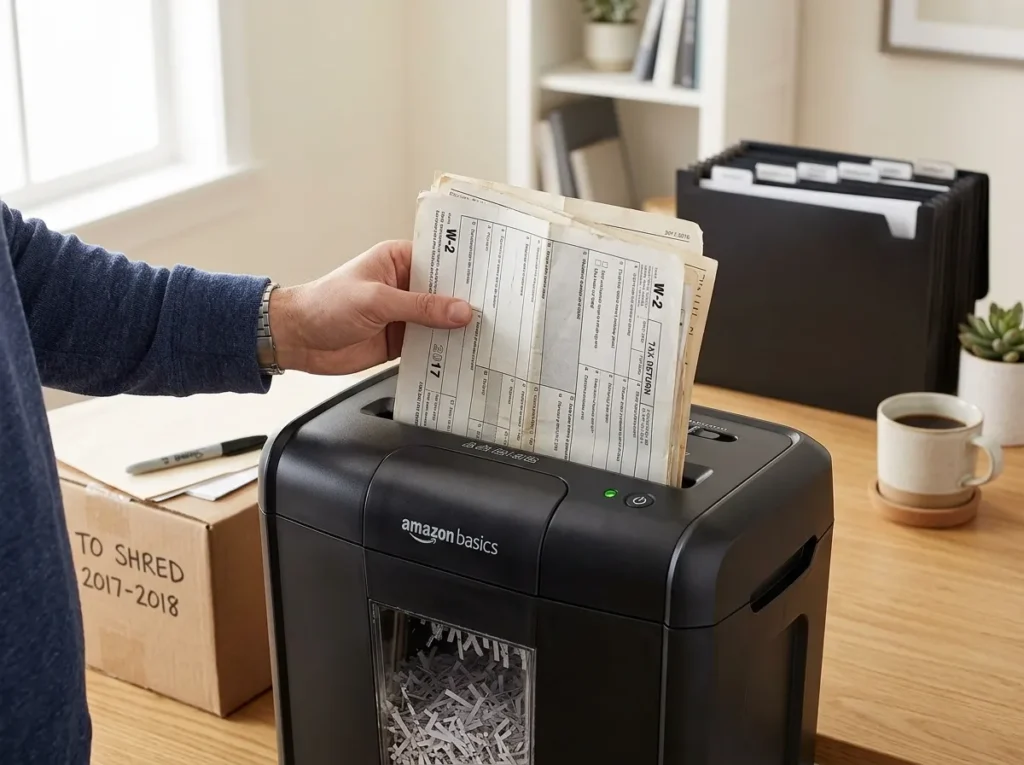
A small-business shredder should fit your document volume, security needs, workflow, and budget, not just advertise a high sheet count. To choose the right paper shredder, start with how much your office actually destroys, then match the machine’s security level, duty cycle, feed method, bin size, and expected ownership cost.
For a business with 2 to 20 employees, the right choice usually comes down to one question: will this machine handle our normal workload without creating more work? That means looking beyond the purchase price and checking what the shredder will cost in staff time, maintenance, replacement, and downtime. Explore our complete buying methodology of paper shredder.
Affiliate Disclosure: As an Amazon Associate, ShredProInk earns from qualifying purchases. We may earn a commission if you buy through our links, at no extra cost to you.
Start With Your Business’s Actual Shredding Workload
The first mistake small businesses make is starting with sheet capacity. A shredder rated for 12 sheets per pass isn’t necessarily a better choice than one rated for 10 sheets. The more useful question is how much paper your office needs to destroy during a normal shredding session.
Estimate Your Normal Weekly Volume
Start by estimating the number of sheets your business discards each week. Include customer records, employee paperwork, invoices, financial documents, printed emails, drafts, and other confidential material.
Then consider how often employees will actually shred. A business might generate 500 sheets a week but shred them across five short sessions. Another office might let documents accumulate and process the same amount in one large batch.
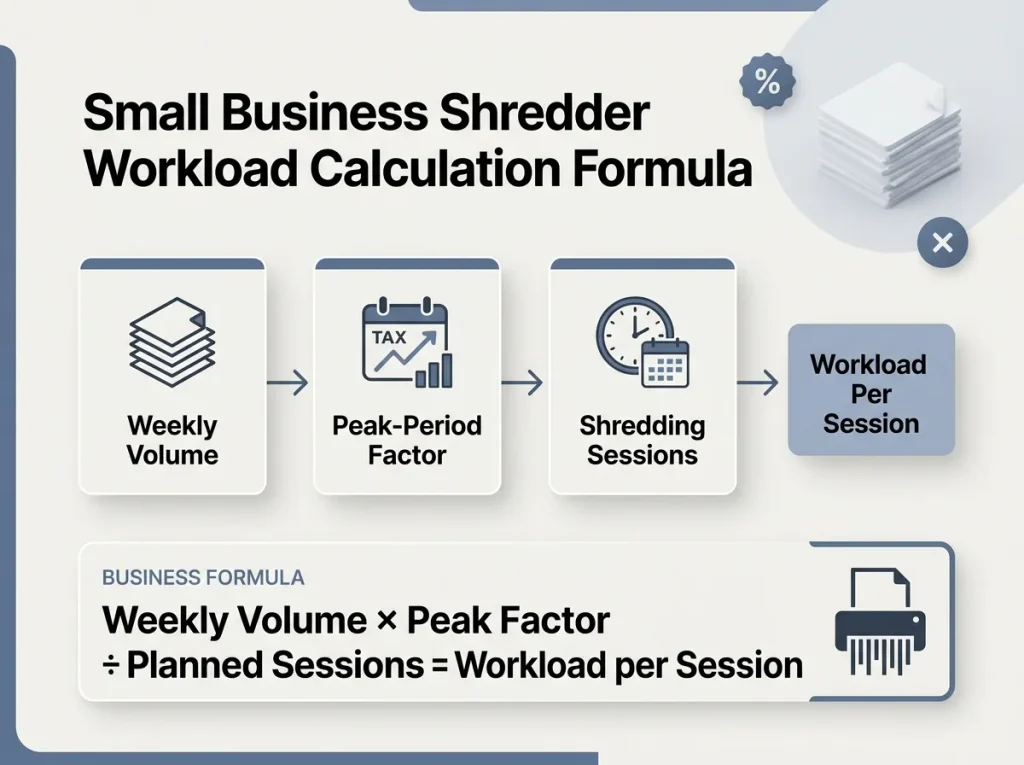
A simple planning formula is:
Weekly volume × peak-period factor ÷ planned shredding sessions = approximate workload per session
This isn’t an industry rule. It’s a way to turn your own workflow into a useful buying requirement.
Account For Peak Workloads
Normal volume isn’t the whole story. Tax filing periods, office moves, annual record cleanup, or a change in document-retention practices can create much larger batches.
If your office occasionally destroys several weeks or months of paperwork at once, prioritize duty cycle and cooling time rather than buying based only on everyday sheet capacity.
The Small Business Owner persona is particularly sensitive to downtime and replacement cost, so the cheapest machine can be a poor business purchase if staff repeatedly have to stop, wait, clear jams, or empty a small bin.
Choose Security Based on the Documents You Handle
Security should come from the sensitivity of your records, not from a marketing label.
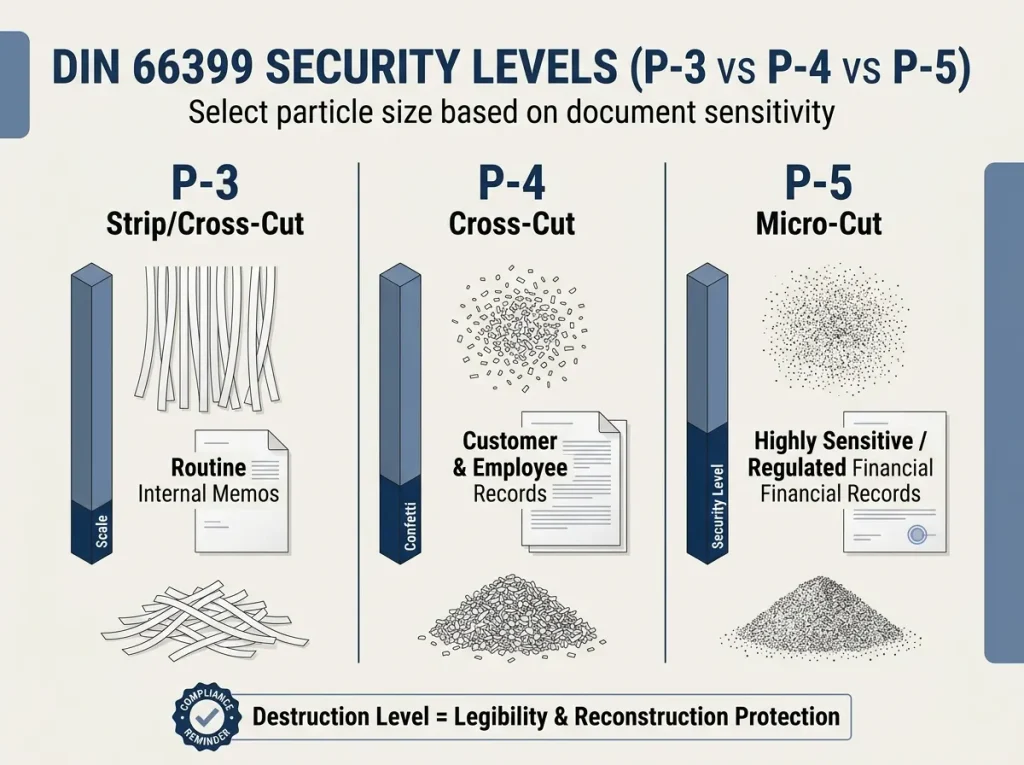
A paper shredder’s DIN 66399 P-level describes the security level associated with particle size for paper destruction. P-3, P-4, and P-5 sit at different points on that scale, so the right choice depends on what your business handles.
P-3, P-4, and P-5 at a Glance
| Document Type | Starting Point | Why |
|---|---|---|
| Routine internal paperwork | Lower security may suffice | Limited sensitivity |
| Customer or employee records | Evaluate P-4 | Contains personal or confidential information |
| Highly sensitive records | Consider P-5 | Smaller particles provide a higher destruction level |
| Regulated records | Follow applicable policy | The regulation or organizational policy determines the requirement |
For a deeper explanation into the document-security, See how DIN levels work.
Security Level Does Not Equal Legal Compliance
Don’t write or assume that “P-4 is HIPAA compliant.” That statement is too broad.
HHS says paper protected health information can be disposed of by shredding, burning, pulping, or pulverizing it so the information becomes essentially unreadable, indecipherable, and cannot be reconstructed. HHS does not state that one universal shredder P-level makes an organization HIPAA compliant.
The FTC takes a similar approach for consumer-report information. Covered businesses must use reasonable measures to prevent unauthorized access or use, and shredding is one example of an appropriate disposal method when the information cannot be read or reconstructed.
Compliance disclaimer: This article explains general document-destruction guidance. It is not legal advice. If your business handles regulated records, confirm the applicable requirements with your compliance officer or counsel.
Don’t Confuse Sheet Capacity With Throughput
A shredder’s sheet capacity tells you how many sheets it can process in one pass. It does not tell you how long the machine can keep working.
Sheet Capacity Means Sheets Per Pass
If a manufacturer rates a machine at 12 sheets, that is a per-pass capacity under the manufacturer’s stated conditions. It doesn’t mean the machine can process thousands of sheets continuously.
Higher sheet capacity can reduce the number of passes, but you still need to check the machine’s runtime.
Duty Cycle Determines Real Productivity
Duty cycle describes how long the shredder can operate before it needs a break or cooling period.
For example, a machine that accepts 12 sheets per pass but needs frequent cooling may process a large batch more slowly than a machine with a slightly lower sheet rating and a longer operating cycle.
If you’re comparing these two specifications, see our guide on sheet capacity versus duty cycle.
Key takeaway: For business use, sheet capacity tells you how much goes through at once. Duty cycle tells you how long you can keep working.
Decide Between Manual Feed and Auto-Feed
The right feed method depends on how your office handles paper.
Manual Feed Fits Irregular Work
Manual feeding makes sense when documents arrive in smaller batches and someone already sorts the paperwork before destruction.
It’s simple, familiar, and often enough for a small office with moderate daily volume.
Auto-Feed Fits Repeated Batches
Auto-feed becomes more useful when staff regularly collect stacks of documents and would benefit from starting a batch without feeding every sheet individually.
But automation has a cost. If your office rarely shreds large batches, paying more for auto-feed may give you a feature nobody uses.
Explore the best hands-free office picks page.
Choose the Right Shredder Tier
Once you’ve measured workload, security, and workflow, you can choose the equipment tier.
| Business Situation | Likely Direction |
|---|---|
| Solo or very low volume | Compact office shredder |
| 2–5 regular users | Mid-range office model |
| Several daily users | Higher-capacity office model |
| Frequent batch shredding | Heavy-duty model with longer duty cycle |
| Large recurring batches | Auto-feed or commercial equipment |
| Highly sensitive records | Higher-security cut appropriate to policy |
These are selection directions, not universal volume rules. Your actual workload and manufacturer specifications should decide the purchase.
To compare actual machines, Check our top small-business shredder recommendations.
Calculate the 3-Year Cost, Not Just the Purchase Price
Purchase price is only the first number. For a business, a useful planning model is:
3-Year TCO = purchase price + maintenance/accessories + expected replacement cost + meaningful downtime cost
You can include:
- Purchase price: Initial machine cost.
- Maintenance: Oil, lubrication, bags, and other required supplies.
- Replacement: Your expected replacement cycle, without assuming a lifespan the manufacturer does not support.
- Downtime: Lost productivity when the machine overheats, jams, or requires attention.
- Staff time: Time spent feeding paper, clearing jams, emptying the bin, and sorting documents.

A Simple Business Example
Imagine two machines:
| Cost Factor | Lower-Cost Model | Higher-Cost Model |
|---|---|---|
| Purchase price | $100 | $250 |
| Maintenance | Add actual expected cost | Add actual expected cost |
| Replacement | Estimate from available evidence | Estimate from available evidence |
| Downtime | Estimate meaningful staff cost | Estimate meaningful staff cost |
| 3-Year TCO | Calculate | Calculate |
The $100 machine isn’t automatically the cheaper business choice. If its workload fit creates more interruptions, the difference can show up in staff time rather than the receipt.
The same logic works in reverse. Don’t assume a $250 shredder is worth buying simply because it costs more. Pay for capacity your workflow actually needs.
Features Worth Paying For
A feature earns its place when it solves a real office problem.
- Longer duty cycle: Worth paying for when your office shreds in longer batches.
- Appropriate security level: Match particle size to document sensitivity and applicable policy.
- Larger bin: Useful when several employees share one machine.
- Auto-feed: Valuable when staff regularly process stacks.
- Jam recovery: Useful when paper jams would interrupt shared office work.
- Overheat protection: Helps protect the machine when workloads approach its operating limits.
- Casters: Useful for heavier shared-office machines that need to move.
- Warranty and maintenance requirements: Review before purchase, not after something goes wrong.
For ongoing ownership to Keep Your Shredder Running Longer, explore the ownership best practices here.
Business Buyer’s Checklist
Before you buy, write down these requirements:
- Number of regular users
- Normal weekly document volume
- Peak workload
- Document sensitivity
- Required security level
- Sheets per pass
- Duty cycle
- Cooling time
- Bin capacity
- Manual or auto-feed
- Noise and footprint
- Maintenance needs
- Warranty
- Estimated 3-year TCO
If you have those numbers, product comparison becomes much easier.
Ready to compare actual models? See ShredPro Ink’s small-business shredder recommendations and match the listed specifications against your checklist.
When a Shredder Isn’t the Best Answer
Buying a machine isn’t always the right choice.
A business with small, irregular volumes may prefer an internal shredder. An office that produces large recurring batches may find a professional document-destruction service more practical. Some businesses may use both.
The FTC explicitly recognizes document-destruction contractors as one possible disposal method for covered consumer-report information, provided appropriate due diligence is performed.
The right question is not “Should every small business own a shredder?”
It’s “Which disposal method gives our business the right mix of security, cost, workflow, and control?”
Frequently Asked Questions
What Size Shredder Does a Small Business Need?
Choose based on workload rather than employee count alone. A 2-person office with large weekly batches may need more capacity than a 5-person office that destroys very little paper.
What Security Level Should a Small Business Shredder Have?
There is no universal business-wide P-level requirement. Match the shred size to the sensitivity of the records and any applicable organizational or regulatory requirements.
Is P-4 Enough for Business Documents?
P-4 may be an appropriate starting point for many confidential business records, but it is not a universal legal requirement or compliance certification. Check your document types and applicable policies before deciding.
How Important Is Duty Cycle for an Office Shredder?
Very important if your office shreds in batches. Duty cycle and cooling time can affect real throughput more than sheet capacity alone.
Is an Auto-Feed Shredder Worth It for a Small Business?
It can be worthwhile when employees regularly process stacks of paperwork. For irregular, low-volume shredding, manual feed may provide better value.
Should I Buy a Heavy-Duty Shredder or Use a Shredding Service?
Compare your recurring volume, staff time, security requirements, and 3-year cost. A heavy-duty machine makes more sense when you need frequent internal destruction; a service may make more sense for large or infrequent batches.
The Bottom Line
The best way to choose a shredder for small business use is to work backward from your actual operation.
Start with document volume, then assess document sensitivity, duty cycle, feed method, and equipment tier. Finish with a 3-year TCO calculation so you don’t mistake a low purchase price for a low business cost.
That approach keeps the purchase grounded in what your office actually needs instead of what a product listing promises.
If you know your workload but aren’t sure which machines fit it, compare our small-business shredder recommendations next.
Methodology
We compare manufacturer specifications, security classifications, independent reviews, and verified-purchase feedback patterns to help match shredder specifications with real business workloads. We do not claim hands-on testing unless documented testing has actually taken place.
See the site’s Editorial Methodology for the full evaluation process.