
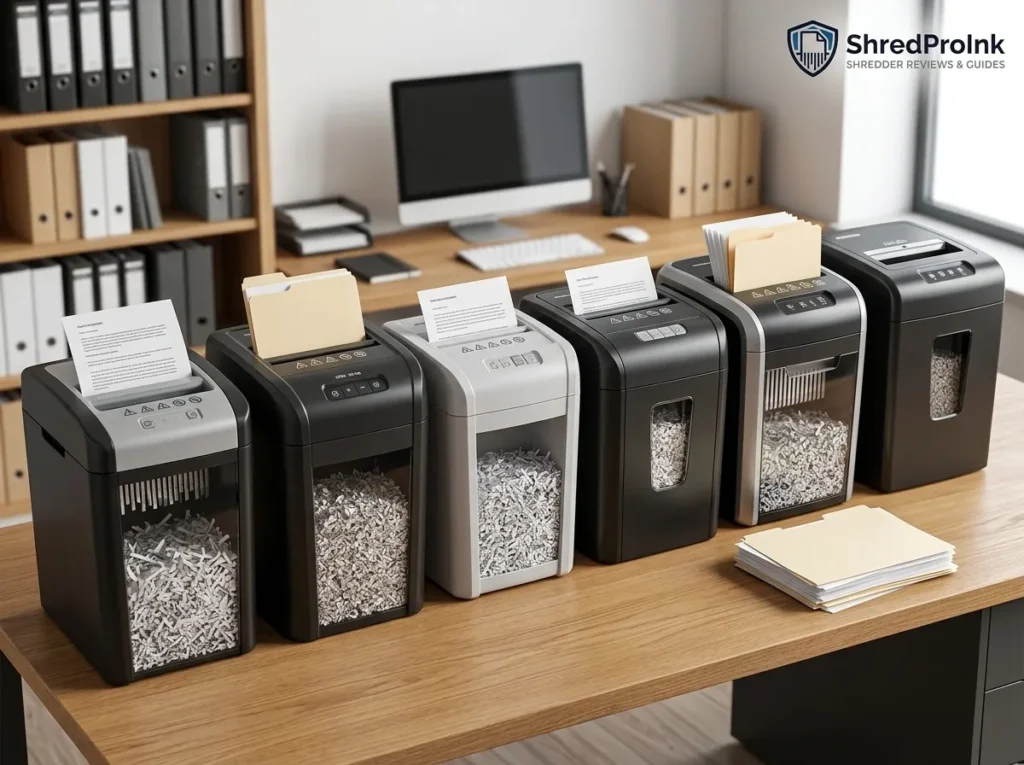
If you want a best cross cut shredder for personal papers, tax records, bank statements, or home-office documents, start with security and workload, not the highest sheet count on the box.
For most home-office buyers, a P-4 cross-cut shredder is a practical starting point. From there, your choice depends on how much paper you shred at once, how long you need the machine to run, how large the waste bin should be, and how much noise you can tolerate.
Our picks below are based on manufacturer specifications, current product documentation, independent review information where available, verified-purchase feedback patterns, and current retailer information. We do not claim hands-on testing unless we have actually tested the machine.
Affiliate Disclosure: As an Amazon Associate, ShredProInk earns from qualifying purchases. We may earn a commission if you buy through our links, at no extra cost to you.
For the broader selection framework, see our complete paper shredder buying guide.
The Best Cross-Cut Shredders at a Glance
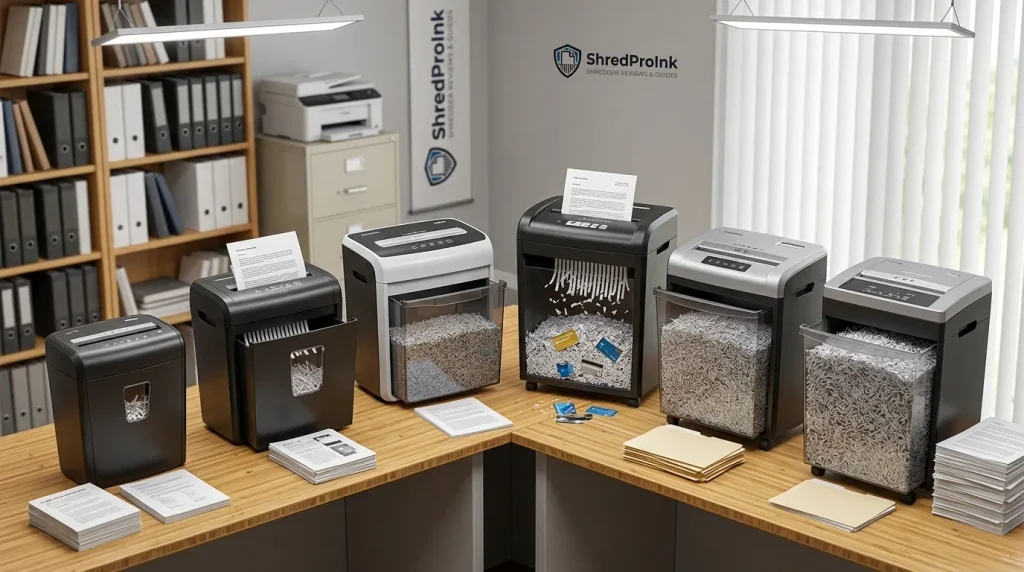
The six models below cover different workloads rather than pretending one machine suits everyone.
| Shredder | Best For | Security | Sheets/Pass | Runtime | Bin | Price |
|---|---|---|---|---|---|---|
| Fellowes Powershred 79Ci | Most home offices | P-4 | 16 | 20 min | 6 gal | Check current price |
| Bonsaii C169-B | Value + regular workloads | P-4 | 15 | 40 min | 5 gal | Check current price |
| Bonsaii C149-C | Heavy workloads | P-4 | 18 | 60 min | 6 gal | Check current price |
| Amazon Basics 12-Sheet Cross-Cut | Budget buyers | Verify current model listing | 12 | 5 min stated | Varies by configuration | Check current price |
| Fellowes Powershred LX190 | Larger home-office workloads | P-4 | 20 | 30 min | 8 gal | Check current price |
| Fellowes Powershred 99Ci | Large shredding batches | P-4 | 18 | 30 min | 9 gal | Check current price |
Important: Prices, availability, Amazon ratings, and review counts change. We intentionally don’t hardcode a current price or star rating here unless it is verified during the publication update. Explore our full list of best paper shredders.
Best Cross-Cut Shredder for Most Home Offices
Fellowes Powershred 79Ci
Best for: Home-office professionals who shred personal and work documents regularly.
Security: P-4
Capacity: 16 sheets
Runtime: Up to 20 minutes
Bin: 6 gallons
Cut size: 4 x 38 mm
Warranty: 2-year product/service warranty; cutter warranty varies by market and documentation
The Fellowes Powershred 79Ci is a strong fit when your shredder sits in a home office and gets used often enough that convenience matters.
It handles up to 16 sheets per pass, produces P-4 cross-cut particles, and has a 20-minute continuous operating period before its stated cooldown requirement. Its 6-gallon pull-out bin is large enough for normal home-office work without making the machine excessively large. Fellowes documentation also lists SafeSense technology, SilentShred operation, auto-reverse/jam prevention features, and support for items such as staples, credit cards, and CDs/DVDs.
The 79Ci makes more sense for a home office than a basic six-sheet unit if you’re regularly clearing invoices, client paperwork, bank statements, and mail.
What we like
- P-4 security gives you a finer cut than basic strip shredding.
- 16-sheet capacity is enough for routine home-office batches.
- 20-minute runtime suits regular document disposal.
- 6-gallon pull-out bin reduces constant emptying.
- SafeSense and jam-prevention features add useful day-to-day convenience.
- SilentShred is intended for shared or quieter workspaces.
What to watch
- It’s larger and more expensive than a basic occasional-use shredder.
- A 20-minute runtime still doesn’t make it a commercial continuous-duty machine.
- The advertised sheet capacity is a maximum under specified paper conditions, not a target you should force on every pass.
Who should buy it
Choose the 79Ci if you work from home, handle client or financial paperwork regularly, and want a shredder you can keep in the office without treating every shredding session like a chore.
Who should skip it
If you shred only a few envelopes every couple of weeks, spend less. If you regularly clear very large paper backlogs, move up to a longer-duty model.
Best Value Cross-Cut Shredder
Bonsaii C169-B
Best for: Home offices and small offices that need longer run time without moving into a larger office machine.
Security: P-4
Capacity: 15 sheets
Runtime: Up to 40 minutes
Bin: 5 gallons
Cut size: 5 x 25 mm
Warranty: Verify current manufacturer coverage
The Bonsaii C169-B focuses on the part of the purchase that many cheap shredders get wrong: usable runtime.
Its documented specifications show a 15-sheet capacity, P-4 cross-cut security, a 5-gallon bin, and around 30 to 40 minutes of stated continuous operation depending on the current documentation/listing. Current retailer documentation describes a 40-minute run period and a 40-minute cooling period after thermal shutdown.
That makes the C169-B more interesting for regular paperwork than a compact shredder that can accept 12 sheets but needs a long break after a few minutes.
Independent review information also gives the C169-B useful context: Consumer Reports reports a 15-sheet capacity, manufacturer-claimed P-4 security, a 5-gallon bin, and a 30-minute manufacturer runtime, while its own test recorded the full 30-minute run period under continuous feeding.
What we like
- P-4 cross-cut security for sensitive personal paperwork.
- 15-sheet capacity supports normal office batches.
- Longer stated runtime than many entry-level machines.
- 5-gallon pull-out bin keeps emptying manageable.
- Useful fit for a home office or small office.
What to watch
- Manufacturer runtime information should be checked against the exact current model listing.
- The machine is still a manual-feed shredder.
- Noise may matter if your workspace doubles as a video-call room.
Who should buy it
Buy it if you want a strong balance between sheet capacity, security, runtime, and price.
Who should skip it
If your main priority is the largest bin or the longest documented workload, look at the C149-C or a larger Fellowes office model.
Best Cross-Cut Shredder for Heavy Workloads
Bonsaii C149-C
Best for: Large manual shredding jobs, small offices, and buyers who routinely work through substantial paper piles.
Security: P-4
Capacity: 18 sheets
Runtime: Up to 60 minutes
Bin: 6 gallons
Cut size: Approximately 5 x 25 mm in current product documentation
Warranty: Verify current manufacturer coverage
The Bonsaii C149-C is where runtime becomes a major part of the buying decision.
Current product documentation lists 18 sheets per pass, P-4 cross-cut security, a 60-minute continuous runtime, a 6-gallon pull-out basket, four casters, and support for paper, credit cards, and staples.
That 60-minute figure matters more than an extra few sheets of theoretical capacity when you’re dealing with a large stack. A shredder rated for 18 sheets but forced to stop after a few minutes may finish the same job more slowly than a slightly lower-capacity machine with a longer duty cycle.
The C149-C is therefore a workload-first choice. It makes sense for a small office, tax-document purge, or recurring batch work where stopping every few minutes would become frustrating.
What we like
- 18-sheet capacity is high for a manual-feed cross-cut unit.
- 60-minute stated runtime suits large batches.
- 6-gallon pull-out bin balances capacity and machine size.
- Casters make the heavier unit easier to move.
- P-4 security keeps it in the same security class as the other main recommendations.
What to watch
- A longer runtime doesn’t mean you should continuously feed the maximum sheet count.
- The machine takes more floor space than compact home models.
- Cooling requirements still apply when thermal protection activates.
Who should buy it
Choose the C149-C if your shredding workload is measured in stacks rather than a few pages at a time.
Who should skip it
If your typical job is five minutes of mail once a week, this is more machine than you need.
Best Budget Cross-Cut Shredder
Amazon Basics 12-Sheet Cross-Cut Paper Shredder
Best for: Occasional home use when keeping the initial cost low matters more than long duty cycles.
Capacity: Up to 12 sheets
Cut type: Cross-cut
Runtime: Current manual documentation lists 5 minutes on / 30 minutes off for the referenced configuration
Bin: Configuration-dependent
Best use: Mail, bills, occasional personal paperwork
The Amazon Basics 12-Sheet Cross-Cut Paper Shredder is the budget option for buyers who don’t shred large piles often.
Amazon’s product documentation identifies a 12-sheet cross-cut model that accepts up to 12 sheets of 20-pound bond paper and uses a 5-minute-on / 30-minute-off duty cycle.
That last number is the one budget buyers need to notice.
A 12-sheet rating can look impressive beside a six-sheet machine, but it doesn’t tell you how long the motor can keep working. For occasional bills, bank statements, junk mail, and small batches, the Amazon Basics model can make sense. For a tax-season backlog, its short stated duty cycle becomes a much bigger limitation.
A recent Popular Mechanics review of the Amazon Basics 12-Sheet Cross-Cut model likewise positioned it as a budget choice and highlighted its compact design while identifying short runtime as the main trade-off.
What we like
- 12-sheet capacity for occasional document disposal.
- Compact format suits limited storage space.
- Lower-cost positioning makes it easier to justify for infrequent use.
- Cross-cut design is more useful for personal paperwork than basic strip shredding.
What to watch
- Short runtime makes it a poor choice for large paper piles.
- Basic models usually offer fewer workflow features than higher-end office machines.
- Verify the exact current Amazon configuration before publishing specifications because Amazon Basics models can change.
Who should buy it
Choose this type of Amazon Basics model if you shred occasionally and want to keep the purchase simple.
Who should skip it
If you have a large box of tax documents waiting to be destroyed, don’t buy based on the 12-sheet number alone. A longer-duty machine can save much more time.
Best Cross-Cut Shredder for Quiet Home Offices
Fellowes Powershred LX190
Best for: Home-office users who want high sheet capacity, a larger bin, and quieter operation.
Security: P-4
Capacity: 20 sheets
Runtime: 30 minutes
Bin: 8 gallons
Cut size: 5/32 x 1 3/8 inches
Warranty: 2 years for machine; cutter coverage varies by market
The Fellowes Powershred LX190 gives you a useful combination for a busier home office: high sheet capacity, a long manual-feed runtime, a large pull-out bin, and Fellowes’ SilentShred positioning.
Fellowes lists the LX190 as a cross-cut model with 20-sheet capacity, 30-minute duty cycle, 8-gallon bin, SafeSense, SilentShred, and jam-prevention technology.
The important point is that “quiet” doesn’t mean silent. Paper shredders still make mechanical noise. The value here is reducing disruption in a workspace where you may be taking calls or working beside another person.
The 8-gallon bin is another practical advantage. You can shred a larger batch without stopping to empty the basket as frequently.
What we like
- 20-sheet capacity gives it plenty of headroom for routine batches.
- 30-minute runtime works for substantial home-office workloads.
- 8-gallon pull-out bin reduces interruptions.
- SilentShred is aimed at shared workspaces.
- P-4 security fits confidential personal and office documents.
What to watch
- It is a larger machine than a compact occasional-use shredder.
- The higher capacity doesn’t mean every document should be fed at 20 sheets.
- Price can be difficult to justify for light users.
Who should buy it
Choose the LX190 when your shredder sits near your desk and gets used often enough that noise, bin size, and workflow interruptions matter.
Who should skip it
If your shredder lives in a closet and comes out twice a month, you can save money with a smaller model.
Best Cross-Cut Shredder for Large Shredding Batches
Fellowes Powershred 99Ci
Best for: Shared home offices and small-office workloads where bin capacity matters as much as runtime.
Security: P-4
Capacity: 18 sheets
Runtime: 30 minutes on / 40 minutes off
Bin: 9 gallons
Cut size: 5/32 x 1 1/2 inches
Warranty: 2-year product/service warranty; lifetime cutter warranty in listed Fellowes documentation
The Fellowes Powershred 99Ci is a better fit for larger batches when you want a substantial bin and a machine intended for shared use.
Fellowes documentation lists 18 sheets per pass, P-4 cross-cut security, 30 minutes of runtime, and a 9-gallon pull-out bin. It also lists SafeSense, SilentShred, and jam-prevention features.
The 9-gallon bin is the key distinction here. A large batch creates a lot of shredded material, so the waste container becomes part of the workflow rather than an afterthought.
This is the kind of model that makes sense when multiple people use the machine or when your document-destruction sessions are large enough that repeatedly emptying a small basket becomes irritating.
What we like
- 9-gallon bin suits larger batches.
- 18-sheet capacity is appropriate for shared use.
- 30-minute runtime supports substantial manual-feed jobs.
- P-4 cross-cut provides a clear security level for confidential documents.
- SilentShred and SafeSense fit shared workspaces.
What to watch
- A larger office-oriented shredder costs more and takes more space.
- The 40-minute off period matters if you regularly run it to its thermal limit.
- For one person shredding a few documents each week, the capacity is unnecessary.
Who should buy it
Choose the 99Ci if you regularly process large batches or share the shredder with other people.
Who should skip it
If your workload is light, put the money toward the features you will actually use.
Is Cross-Cut Shredding Secure Enough?
For many personal and home-office documents, P-4 cross-cut shredding is a practical security level. But “cross-cut” by itself does not tell you the full security story.
DIN 66399 classifies paper destruction by particle size and security level. Cross-cut machines can fall into different P-levels, so you should check the actual rating rather than assuming every cross-cut machine provides identical security.
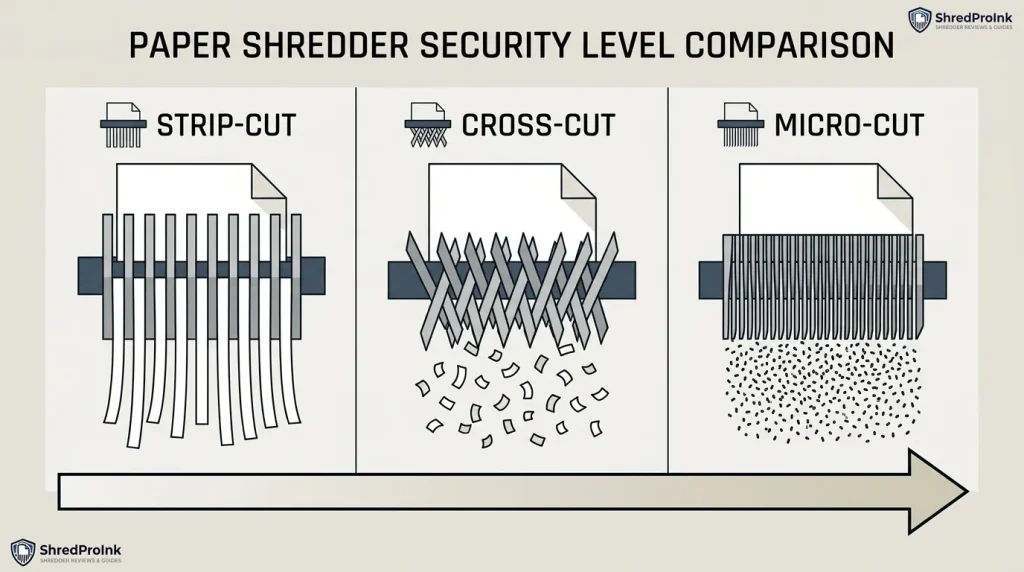
Fellowes’ current security guidance places cross-cut machines in P-3 and P-4, with finer particles corresponding to higher security levels.
What Does P-3 Mean?
P-3 produces smaller particles than basic strip-cut shredding and can suit less sensitive personal or general documents.
The Aurora AU1220XA, for example, is documented as a P-3 cross-cut model with a 12-sheet capacity and 3-minute continuous runtime.
What Does P-4 Mean?
P-4 uses a finer particle size than P-3 and is common among cross-cut shredders aimed at confidential personal and business documents.
If you’re shredding bank statements, tax paperwork, client records, or documents containing account information, P-4 is the more relevant comparison point among the products on this page.
When Should You Choose Micro-Cut?
Choose micro-cut when the information is more sensitive and the smaller particle size is worth the additional cost and potentially different performance characteristics.
For the deeper comparison, see our cross-cut vs. micro-cut vs. strip-cut guide and DIN 66399 and P-level guide.
What to Look for in a Cross-Cut Shredder
The best cross-cut paper shredder isn’t necessarily the one with the highest sheet rating. Match the specifications to the work you actually expect to do.
Security Level and Particle Size
Start with the documents.
For routine personal paperwork, look at the stated DIN security level. If you’re destroying financial, client, medical, or other highly sensitive records, don’t stop at the words “cross-cut.” Check the actual P-level and particle size.
Sheet Capacity
Sheet capacity tells you how much paper the cutter can accept in one pass.
It does not tell you how long the motor can keep working.
A 20-sheet shredder with a short duty cycle can be less useful for a large pile than a 15-sheet model with a much longer operating period.
Duty Cycle and Runtime
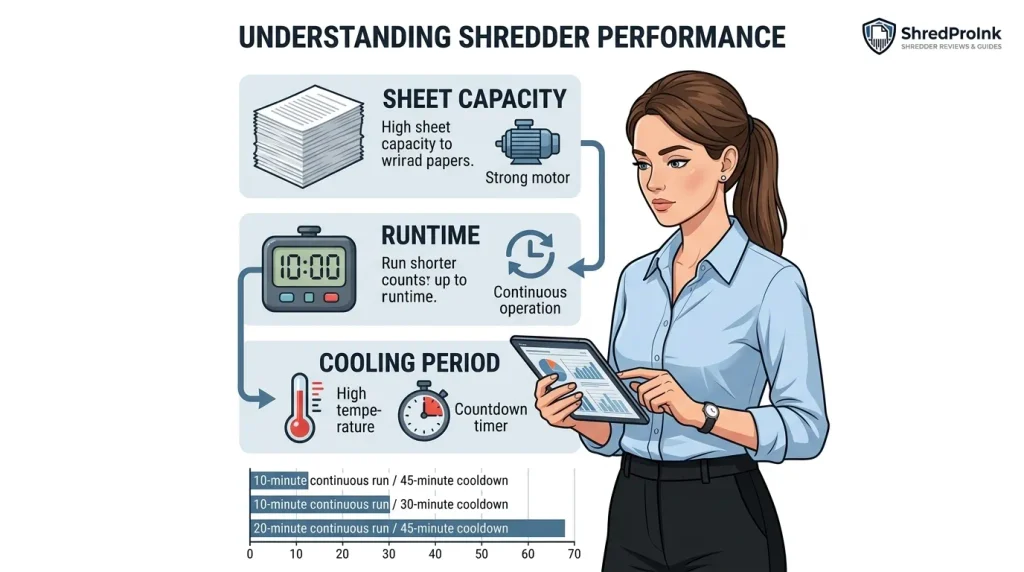
Duty cycle describes the work-and-rest pattern the manufacturer expects.
For example:
- 5 minutes on / 30 minutes off
- 20 minutes on / 30 minutes off
- 30 minutes on / 40 minutes off
- 60-minute continuous operation
This matters most when you’re clearing tax documents or a filing cabinet rather than shredding three envelopes.
Cooling Period
A thermal cutoff protects the motor from excessive heat.
Don’t treat cooling time as a minor footnote. If a machine needs 40 minutes to cool after reaching its limit, that can change how long your entire shredding job takes.
Bin Capacity
A small bin means more interruptions.
A larger pull-out bin costs more space, but it can make a major difference during batch shredding. If you shred tax documents once or twice a year, think about the size of those piles rather than your normal weekly workload.
Noise Level
Noise matters more in a home office than it does in a storage room.
If you work beside the shredder, look for models that specifically document quieter operation. Don’t assume that a larger or more expensive motor automatically means a quieter machine.
Anti-Jam and Auto-Reverse
Auto-reverse can help clear an overloaded or misfed stack.
Some manufacturers use terms such as “jam-proof.” Treat those as manufacturer claims, not guarantees. Your actual result still depends on paper thickness, sheet count, staples, folded pages, and correct operation.
Safety Features
Look for features such as:
- Safety lock
- Bin or head detection
- Auto shutoff
- Overheat protection
- Hand or touch detection
- Manual reverse
These features matter even more when children, pets, or multiple employees share the workspace.
Warranty
Compare machine and cutter warranties separately.
A longer cutter warranty can matter if you plan to keep the shredder for years. Check the current manufacturer terms for the exact model before purchase.
For the full specification-selection framework, use our paper shredder buying guide.
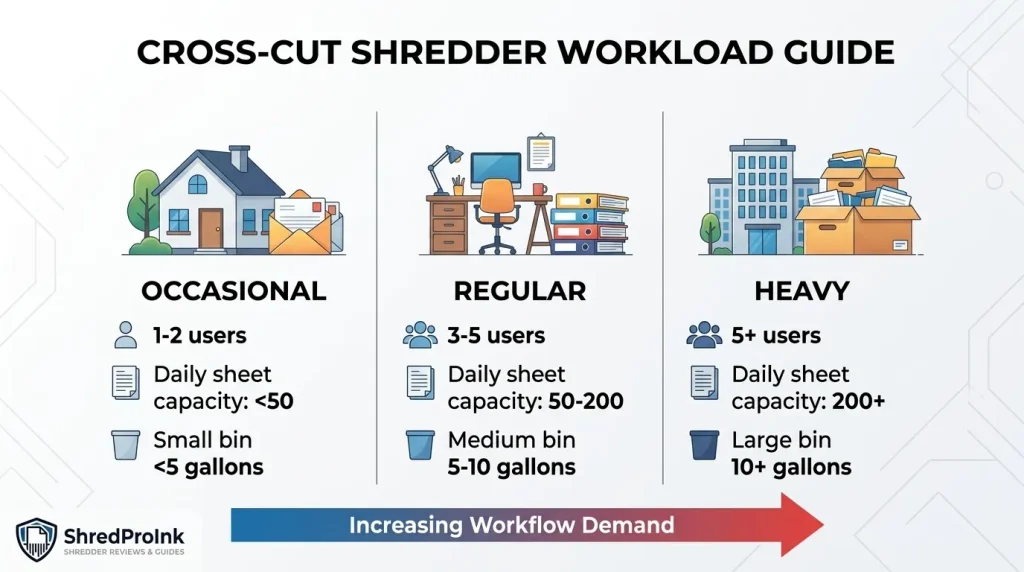
Which Cross-Cut Shredder Fits Your Workload?
Your workload should decide the machine more than the headline sheet count.
| If You… | Prioritize | Look for |
|---|---|---|
| Shred mail weekly | Security + compact size | P-4, manageable bin |
| Work from home | Noise + workflow | Quiet operation, 15+ minute runtime |
| Shred tax paperwork | Runtime + bin | Long duty cycle, 5+ gallon bin |
| Run a small office | Capacity + runtime | 15+ sheets, 30+ minute duty cycle |
| Shred sensitive records | Security + particle size | P-4 or a higher level where appropriate |
| Shred only occasionally | Price + simplicity | Budget model with reasonable security |
Don’t Buy by Sheet Capacity Alone
Consider this simple relationship:
Useful batch capacity = sheet capacity × practical runtime × cooling requirements × bin capacity
It isn’t a manufacturer performance formula. It’s a buying framework.
A 20-sheet machine sounds better than a 15-sheet machine until you discover that the 20-sheet model costs more, takes more space, and has a shorter duty cycle than the alternative.
The better question is:
How much paper do I need to destroy before I want the machine to stop?
That answer points you toward the right model much faster.
Illustrative Case Study: A 150-Sheet Tax-Document Pile
Consider a homeowner with roughly 150 sheets of old tax paperwork.
A small shredder with a short operating period may technically accept 12 sheets per pass, but that does not mean it can process the entire pile efficiently. The user may spend more time waiting for cooldown periods than actually shredding.
A 15- to 18-sheet model with a longer runtime can make more sense for this workload, even if its maximum sheet capacity looks only slightly higher.
The lesson is simple:
For batch work, runtime and cooling can matter more than maximum sheets per pass.
This is an illustrative workload example, not a report from a ShredPro Ink hands-on test.
Frequently Asked Questions
Is a Cross-Cut Shredder Secure Enough for Home Use?
Yes, a P-4 cross-cut shredder can be a practical choice for many home users handling personal and confidential paperwork. The exact security need depends on the sensitivity of the documents, so check the stated P-level rather than choosing based only on the words “cross-cut.”
What Is the Best P-Level for a Cross-Cut Shredder?
P-4 is a common choice for confidential personal and business documents among cross-cut models. If your documents carry a higher sensitivity requirement, compare finer-cut options such as P-5 rather than assuming all cross-cut machines provide the same security.
Is P-4 Better Than P-3 for Personal Documents?
P-4 provides a finer level of document destruction than P-3. If you regularly shred bank statements, tax documents, or other paperwork containing sensitive financial information, P-4 is the more relevant level to compare.
How Many Sheets Should a Cross-Cut Shredder Handle?
For a home office, around 12 to 16 sheets per pass is often enough for routine workloads. If you regularly process large piles, capacity matters, but runtime and cooling requirements should influence the decision just as much.
How Long Should a Cross-Cut Shredder Run?
That depends on your workload. Occasional users may be fine with a short duty cycle, while tax-document and small-office workloads benefit from models offering 20, 30, 40, or 60 minutes of stated runtime.
Are Cross-Cut Shredders Better Than Strip-Cut Shredders?
Cross-cut shredders produce smaller pieces than strip-cut machines and generally provide greater document security. For personal or confidential paperwork, compare the actual DIN security level rather than relying only on the cut-type name.
Is Micro-Cut More Secure Than Cross-Cut?
Micro-cut machines generally produce smaller particles than standard cross-cut machines. That can provide a higher security level, but the trade-off may include different prices, speeds, capacities, or duty cycles.
How Often Should You Oil a Cross-Cut Shredder?
Follow the maintenance schedule for your specific model. Cross-cut cutters generally benefit from regular lubrication because paper dust and friction can affect performance over time. For detailed maintenance guidance, see our shredder oiling and maintenance guide.
Final Takeaway
The best cross cut shredder is the one that matches the documents you actually destroy.
For a home office, focus on P-level, practical sheet capacity, runtime, noise, and bin size. For tax-season batches or small-office work, give runtime and cooling requirements more weight than the biggest sheet number on the product box.
If you want a straightforward starting point, compare the Fellowes Powershred 79Ci for regular home-office use, the Bonsaii C169-B for value, the Bonsaii C149-C for long batch sessions, and the Amazon Basics 12-Sheet Cross-Cut for occasional budget use.
Author: William Dahlberg
William Dahlberg researches and writes ShredProInk’s paper shredder buying guides, cross-referencing manufacturer specifications, DIN 66399 security ratings, and verified buyer feedback to help readers match a shredder to their actual document-security needs. See our Editorial Methodology for how recommendations are built.
Last updated: September 21, 2026