
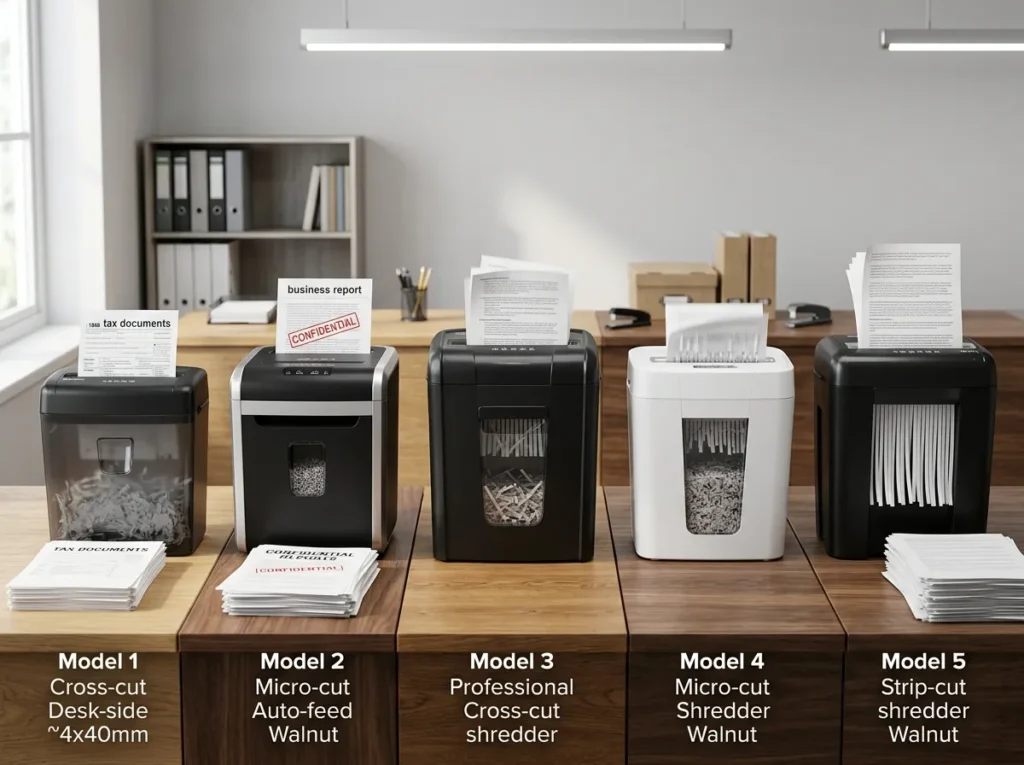
If you want one quick answer, start with the Aurora AU1210MA for a strong balance of P-4 micro-cut security, 12-sheet capacity, and a 60-minute continuous run time. It is a particularly good fit for a home office or steady personal workload.
But the best paper shredder depends on what you actually shred. A few pages of household mail call for a different machine than a yearly tax-document purge, daily client records, or a shared small-business workload.
This guide compares current models by security level, cut type, sheet capacity, duty cycle, runtime, bin size, noise, convenience, and use case. You’ll find dedicated picks for home offices, tax documents, sensitive records, small businesses, auto-feed workloads, compact spaces, and easier day-to-day use.
For the deeper selection process, see our paper shredder buying methodology before choosing a model.
Affiliate Disclosure: As an Amazon Associate, ShredProInk earns from qualifying purchases. We may earn a commission if you buy through our links, at no extra cost to you.
Our Top Paper Shredder Picks at a Glance
You don’t need to read every product section to build a shortlist. These are the models that fit the main buying situations covered on this page.
| Shredder | Best For | Cut / Security | Sheets | Runtime | Key Limitation | Price |
|---|---|---|---|---|---|---|
| Aurora AU1210MA | Best overall | Micro-cut / P-4 | 12 | 60 min | 12-sheet feed | Check Current Price |
| Amazon Basics 8-Sheet Micro-Cut | Budget | Micro-cut / P-4 | 8 | 3 min* | Short duty cycle | Check Current Price |
| Aurora AU1060MA | High security | Micro-cut / P-5 | 10 | 60 min | Higher security may be unnecessary for ordinary mail | Check Current Price |
| Fellowes LX220 | Small business | Micro-cut / P-4 | 20 | 30 min on / 15 min off | Larger footprint | Check Current Price |
| Aurora AU120MA | Auto-feed | Micro-cut / P-4 | 120 auto / 10 manual | 30 min auto-feed | Less suited to continuous manual feeding | Check Current Price |
| Fellowes Powershred 99Ci | Shared home office | Cross-cut / P-4 | 18 | 30 min on / 40 min off | Cross-cut rather than micro-cut | Check Current Price |
| Amazon Basics 24-Sheet Cross-Cut | Tax-document batches | Cross-cut / P-4 | 24 | 40 min on / 50 min off | Larger and heavier | Check Current Price |
| Aurora AS420C | Compact desktop use | Cross-cut / P-3 | 4 | Light duty | Low capacity and lower security | Check Current Price |
| Fellowes LX41 | Seniors / simple personal use | Micro-cut / P-4 | 8 | 5 min on / 30 min off | Short runtime | Check Current Price |
Quick answer: If you handle sensitive personal documents regularly, start with a P-4 model. If you handle records where a smaller particle size is justified, move to P-5. For large piles, prioritize runtime, duty cycle, sheet capacity, and bin size before paying for features you won’t use.
How We Evaluate Paper Shredders
A shredder should earn its place on this list because its specifications fit a real workload, not because its marketing page uses bigger adjectives.
ShredPro Ink compares manufacturer specifications, cross-references independent reviews and verified-purchase feedback, and checks current pricing and availability before publication. We do not describe a machine as personally tested unless documented hands-on testing has actually taken place. That distinction matters when comparing products that can cost hundreds of dollars.
Security
Security starts with the size and shape of the particles left behind.
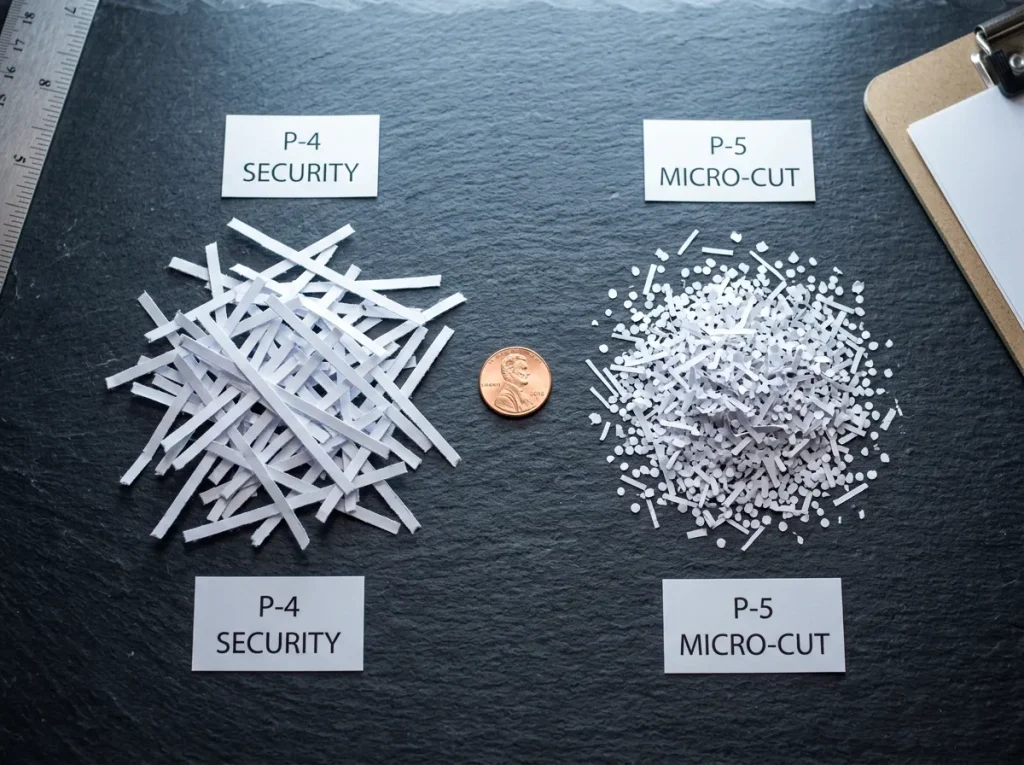
A cross-cut shredder cuts paper into short strips and particles. A micro-cut shredder produces smaller particles, which generally gives you a higher level of document destruction.
DIN 66399 provides a framework for information-destruction security levels, including P-levels for paper. The practical question for a buyer isn’t simply “What’s the highest P-level?” It is “What security level matches the documents I handle?”
For many personal and home-office workloads, P-4 is a practical starting point. P-5 makes more sense when the information being destroyed warrants the smaller particle size.
For a deeper breakdown, see our [DIN 66399 and P-level security guide].
Workload
Sheet capacity tells you how much paper the machine can accept per pass. It does not tell you how much work the machine can sustain.
Runtime and duty cycle matter just as much.
A shredder rated for 8 sheets with a 5-minute runtime can be perfectly reasonable for occasional mail. It becomes frustrating when you’re trying to clear several boxes of old tax records.
For heavy workloads, look at:
- Sheet capacity: how much paper you can feed at once.
- Continuous runtime: how long the motor can operate before stopping.
- Cooldown time: how long you must wait before resuming.
- Bin capacity: how often you’ll need to empty the wastebasket.
Convenience
A shredder becomes much easier to live with when its controls and workflow match your environment.
Useful features include:
- Auto-feed: useful for batches that can be loaded into a tray.
- Auto-reverse: helps clear paper-feed problems.
- Safety lock: useful around children, pets, or users who want a physical control.
- Bin-full indicator: reduces overflow and interruptions.
- Casters: helpful when a larger machine needs to move between rooms.
- Pull-out bin: usually easier to empty than a lift-off head.
- Noise reduction: useful in shared rooms and home offices.
Don’t pay for every feature automatically. A person shredding five pages a week has a different problem from an office processing hundreds of pages.
Ownership
A shredder’s purchase price is only part of its cost.
For frequent users, consider:
Purchase price + maintenance + consumables + downtime + replacement risk
A cheaper machine can make sense when the workload is light. A higher-capacity machine can make more sense when a low duty cycle forces repeated stops.
That is why the small-business section below looks at ownership cost rather than sticker price alone.
Our Research Standard
Our recommendations use this methodology:
We compare manufacturer specifications, cross-reference independent reviews and verified-purchase feedback, and re-check current pricing and availability before publishing.
That means we can tell you what the published specifications say without pretending that ShredPro Ink personally ran every model through thousands of sheets.
See Editorial Methodology for the full research process.
Best Paper Shredder Overall
Aurora AU1210MA: Best Balance of Security and Runtime
Best for: Home offices, personal records, steady weekly shredding, and users who want P-4 micro-cut security without moving into a larger office machine.
The Aurora AU1210MA stands out because its specifications solve two common problems at once: security and downtime.
It uses micro-cut shredding at P-4, accepts up to 12 sheets per pass, and has a published 60-minute continuous runtime. Aurora lists a 5-gallon pull-out bin, casters, auto-reverse for jams, and status indicators for conditions such as overheat, overload, and a full bin.
That combination makes it a sensible match for a home office that generates paperwork throughout the week rather than just a few envelopes on Saturday.
Key Specifications
| Specification | Details |
|---|---|
| Cut type | Micro-cut |
| Security | P-4 |
| Particle size | 5/32 x 15/32 inch |
| Sheet capacity | 12 |
| Runtime | 60 minutes continuous |
| Bin | 5 gallons |
| Feed width | 8.7 inches |
| Casters | Yes |
| Credit cards | Yes |
| CD/DVDs | Yes |
Aurora also lists a 300-sheet basket capacity and a 22.4-pound unit weight.
Verdict: The AU1210MA is a strong all-around choice when you want P-4 micro-cut security and enough runtime for real home-office work.
Pros
- 60-minute continuous runtime suits batch shredding.
- P-4 micro-cut fits many sensitive personal-document workloads.
- 5-gallon pull-out bin limits constant emptying.
- Auto-reverse helps with paper-feed problems.
- Casters make a 22-pound machine easier to move.
Cons
- 12-sheet capacity is modest compared with high-volume office models.
- Larger footprint than compact desktop shredders.
- P-5 is available if your document-security needs justify it.
Buy this if: You shred personal, financial, client, or household paperwork regularly and want a machine that can keep working through a substantial batch.
Skip it if: You only shred a few pages every couple of weeks or need an ultra-compact desktop machine.
Best Budget Paper Shredder
Amazon Basics 8-Sheet Micro-Cut: Best for Light, Sensitive Paperwork
Best for: Occasional home use, teachers, small mail piles, and buyers who want micro-cut security without buying a large floor-standing machine.
The Amazon Basics 8-Sheet Micro-Cut is a good example of why price and workload need to be considered together.
Current 2026 coverage lists it as a P-4 micro-cut machine with an advertised 8-sheet capacity, a roughly 4-gallon bin, and a short duty cycle. Independent testing from TechGearLab found the model capable of exceeding its advertised sheet capacity, but its measured speed was modest compared with larger machines.
That makes the model a better fit for light document destruction than for a tax-season marathon.
The key trade-off is simple: you save money and space, but you give up sustained throughput.
Pros
- P-4 micro-cut provides stronger particle security than basic strip-cut machines.
- Compact footprint suits smaller home offices.
- Lower purchase tier makes it easier to justify for occasional use.
- Simple workflow suits everyday mail and personal paperwork.
Cons
- Short runtime makes large piles frustrating.
- Lower sheet capacity increases feeding time.
- Not a good choice for shared-office workloads.
Buy this if: Your normal workload is several pages at a time, not several hundred pages at once.
Skip it if: You routinely clear tax archives, business records, or large filing cabinets.
For more options in this price segment, see our [budget-friendly shredder picks].
Best High-Security Paper Shredder
Aurora AU1060MA: Best P-5 Pick
Best for: Highly sensitive personal, medical, legal, and business records where P-5 security is justified.
The Aurora AU1060MA moves from P-4 to P-5 micro-cut security. Aurora lists a 10-sheet capacity, 2 x 12 mm particle size, a 6-gallon pull-out bin, and a 60-minute continuous runtime.
The smaller particle size is the reason to buy this model, not the label itself.
When P-5 Makes Sense
P-5 can make sense when the documents contain information where a smaller particle size is worth the additional cost and reduced throughput.
Examples can include:
- Highly sensitive business records
- Certain medical records
- Confidential client information
- Documents containing extensive personal identifiers
- Workflows with stricter internal security requirements
When P-5 Is Unnecessary
P-5 is not automatically required for every household document.
If you’re destroying ordinary mail, old receipts, personal correspondence, or routine paperwork, a suitable P-4 machine may provide enough security for your needs.
The correct decision depends on the information being destroyed, not the highest number you can find on a product page.
For the full explanation, see [how DIN 66399 P-levels work].
Pros
- P-5 micro-cut produces very small particles.
- 60-minute runtime supports large batches.
- 6-gallon bin reduces interruptions.
- Auto-reverse helps with paper-feed problems.
- Casters make movement easier.
Cons
- 10-sheet capacity is lower than some P-4 high-capacity machines.
- P-5 can be unnecessary for routine household paperwork.
- Higher security can mean paying for a capability you rarely use.
Buy this if: Document sensitivity is the main reason you’re buying the shredder.
Skip it if: Your workload consists mainly of ordinary household mail and routine personal paperwork.
Best Heavy-Duty Shredder for Small Business
Fellowes LX220: Best Shared-Office Fit
Best for: Small businesses, shared offices, and teams that need higher capacity without moving immediately into a large commercial machine.
Small-business shredding is different from home use. Several people may feed the same machine, which means sheet capacity, runtime, bin size, and downtime start to matter more than a compact footprint.
The Fellowes LX220 is a P-4 micro-cut model rated for 20 sheets per pass, with a 30-minute on / 15-minute off duty cycle and an 8-gallon pull-out bin. Fellowes lists it for shared use and includes features such as SafeSense, jam prevention, noise reduction, casters, and a 2-year product and 7-year cutter warranty in its published specifications.
Why Small Businesses Need Different Specs
A two-person office that shreds 20 pages a day doesn’t need the same machine as an accounting, legal, medical, or real-estate office where multiple employees feed records throughout the day.
Look at:
- How many people use the shredder?
- How much paper does the office destroy each day?
- How long can the machine run before cooling?
- How often will someone empty the bin?
- What happens when the shredder is unavailable?
That last question gets ignored too often.
A $100 machine that forces employees to wait for cooling can create more friction than its purchase price suggests.
Sheet Capacity vs. Duty Cycle
A 20-sheet capacity doesn’t mean the machine can shred 20 sheets continuously without interruption.
Think of the two specifications as separate:
Sheet capacity = feed size
Duty cycle = sustained workload
For a shared office, you need both.
3-Year Ownership Cost
A useful business comparison looks like this:
| Cost Factor | Lower-Capacity Model | Shared-Office Model |
|---|---|---|
| Initial purchase | Lower | Higher |
| Sheets per pass | Lower | Higher |
| Runtime | Usually shorter | Longer |
| Bin emptying | More frequent | Less frequent |
| Downtime risk | Higher under heavy use | Lower under suitable workloads |
| Maintenance | Varies by model | Varies by model |
| Replacement risk | Workload-dependent | Workload-dependent |
Do not insert a fake 3-year dollar figure here. Actual maintenance, replacement, and purchase costs need current product and retailer data before publication.
Illustrative Office Scenario
Consider a small accounting office with several employees who periodically destroy client records.
The right question isn’t “Which machine costs the least?”
The better question is:
“Which machine can handle the office’s expected workload without becoming a daily bottleneck?”
That is a buyer scenario, not a ShredPro Ink case study. We don’t have documented client-performance data to present as a case study, so we won’t invent one.
Pros
- 20-sheet capacity suits shared use.
- P-4 micro-cut provides strong document destruction.
- 30-minute runtime supports larger batches.
- 8-gallon bin reduces emptying frequency.
- Casters help with office positioning.
Cons
- Large footprint compared with personal shredders.
- Higher purchase cost than light-duty models.
- Still has a defined duty cycle.
Buy this if: Multiple people will use the shredder and downtime matters.
Skip it if: One person shreds a few pages at a time.
For a narrower business comparison, see [heavy-duty shredder recommendations for small business].
Best Auto-Feed Paper Shredder
Aurora AU120MA: Best for Large Batches
Best for: Tax-season piles, archive cleanup, and users who would rather load a stack than stand beside the shredder feeding pages one by one.
The Aurora AU120MA has a 120-sheet automatic feed capacity and a 10-sheet manual feed capacity. Aurora lists P-4 micro-cut security, a 5-gallon pull-out bin, automatic start and stop, auto-reverse, overload protection, and a 30-minute continuous runtime for the auto-feed operation.
The appeal is obvious when you have a large pile.
But auto-feed isn’t automatically better.
What to Check Before Buying Auto-Feed
Look at:
- Automatic tray capacity
- Manual-feed capacity
- Runtime
- Cooldown
- How documents must be stacked
- Whether staples and clips are accepted
- How the feed mechanism handles mixed paper
- Maintenance requirements
Auto-feed reduces the time you spend standing over the machine, but it doesn’t eliminate the need to sort documents or monitor the workload.
Pros
- 120-sheet auto-feed capacity suits batch work.
- P-4 micro-cut provides strong document security.
- 30-minute continuous runtime supports large sessions.
- Automatic start and stop simplifies operation.
- 5-gallon bin provides reasonable capacity.
Cons
- Auto-feed adds a different set of feed-mechanism considerations.
- Manual feeding is limited to 10 sheets.
- Larger than basic personal shredders.
Buy this if: Your main problem is feeding a large backlog.
Skip it if: You shred a handful of pages at a time.
Best Shredder for Tax Documents
Amazon Basics 24-Sheet Cross-Cut: Best for Large Tax Piles
Best for: Annual tax cleanup, old financial paperwork, receipts, statements, and large household document backlogs.
Tax-season shredding is where cheap machines often expose their limitations.
The issue isn’t simply security. It’s volume.
The Amazon Basics 24-Sheet Cross-Cut model is listed with P-4 security, up to 24 sheets per pass, a 7-gallon bin, and a 40-minute on / 50-minute off duty cycle. It can handle paper plus materials such as staples, small paper clips, credit cards, CDs, and DVDs according to available product documentation.
That combination makes it more suitable for a large seasonal purge than an entry-level shredder with a five-minute duty cycle.
What You Might Shred
A tax-season workload can include:
- Old tax returns
- W-2s
- Bank statements
- Receipts
- Credit-card statements
- Insurance paperwork
- Pay stubs
- Financial correspondence
Before shredding tax records, confirm that the retention period has passed for the documents you plan to destroy. Shredding should come after the retention decision, not before it.
For a deeper retention discussion, see [our tax document retention guide].
Pros
- 24-sheet capacity reduces feeding time.
- P-4 cross-cut suits many sensitive personal documents.
- 7-gallon bin handles a substantial amount of shredded paper.
- 40-minute duty cycle supports larger batches.
- Handles several common non-paper materials.
Cons
- 50-minute cooldown can slow a very large project.
- Larger and heavier than personal shredders.
- Cross-cut particles are larger than P-5 micro-cut output.
Buy this if: Your biggest shredding job arrives once or twice a year.
Skip it if: You need a compact machine for a few pages each week.
Best Quiet Paper Shredder for Home Offices
Fellowes Powershred 99Ci: Best Shared-Space Option
Best for: Home offices, shared rooms, and users who care about noise and a larger work capacity.
The Fellowes Powershred 99Ci uses P-4 cross-cut shredding, handles up to 18 sheets per pass, and has a published 30-minute runtime followed by a 40-minute cooldown. Fellowes lists a 9-gallon pull-out bin, SafeSense technology, SilentShred, and jam-prevention features.
Forbes’ April 2026 roundup also selected the 99Ci as its overall recommendation and highlighted its 18-sheet capacity, 30-minute runtime, and 9-gallon bin.
The limitation is security format. This is P-4 cross-cut, not P-5 micro-cut.
That doesn’t make it unsuitable. It means you should choose it for the combination of workload, safety, noise, and convenience rather than assuming the highest particle-security level is always required.
Pros
- 18-sheet capacity handles larger home-office batches.
- 30-minute runtime suits regular workloads.
- 9-gallon bin reduces emptying frequency.
- SilentShred is intended for shared spaces.
- SafeSense adds a useful safety feature.
Cons
- Cross-cut rather than micro-cut.
- 40-minute cooldown after a full duty cycle.
- Larger than compact personal models.
Buy this if: Your shredder sits near a desk, shared room, or workspace where noise matters.
Skip it if: P-5 micro-cut security is your main requirement.
Best Compact Paper Shredder for Small Spaces
Aurora AS420C: Best Desktop Footprint
Best for: Apartments, small desks, occasional household shredding, and users who have almost no floor space.
The Aurora AS420C is a very different machine from the large models above. It is a light-duty desktop cross-cut shredder with a 4-sheet capacity, 1.32-gallon wastebasket, and P-3 security level. Aurora lists a 4.5-inch feed width and a unit weight of about 5 pounds.
That makes the trade-off easy to understand.
You gain compact size and portability.
You give up capacity, runtime, and security compared with the larger P-4 and P-5 models.
This is not the machine to buy for a box of old tax records.
It can make sense for someone who wants a small desktop unit for occasional documents and has limited storage space.
Pros
- Compact desktop design.
- About 5 pounds for easy movement.
- 1.32-gallon bin fits small workspaces.
- Low-capacity workload suits occasional use.
- Includes a letter opener accessory.
Cons
- 4-sheet capacity is low.
- P-3 security is below the P-4 and P-5 models on this list.
- Not suited to large document batches.
Buy this if: Space is your main constraint and your workload is genuinely light.
Skip it if: You regularly shred financial, medical, legal, or business records in large batches.
Best Paper Shredder for Seniors
Fellowes LX41: Best Simple Personal Shredder
Best for: Seniors and other users who value straightforward controls, a safety lock, manageable size, and easy personal use.
The Fellowes LX41 is an 8-sheet P-4 micro-cut model with a 4.4-gallon bin. Current retailer specifications list a 5-minute runtime and 30-minute cooldown, plus a safety lock and support for staples, paper clips, and credit cards.
For this use case, the important point isn’t raw capacity.
It’s ease of operation.
A senior user may care more about whether the bin is manageable, the controls are clear, and the machine can be safely disabled than whether it can accept 20 sheets at once.
That is why this category deserves its own buying criteria instead of simply recycling the “best compact shredder” recommendation.
Pros
- P-4 micro-cut for sensitive personal documents.
- 4.4-gallon bin gives reasonable capacity without becoming a large office unit.
- Safety lock provides an extra control.
- Supports staples, paper clips, and credit cards.
- Compact enough for personal use.
Cons
- 5-minute runtime limits large cleanup sessions.
- 8-sheet capacity isn’t suited to shared office use.
- Cooldown can become frustrating during a large purge.
Buy this if: Ease of use and personal document security matter more than high-volume throughput.
Skip it if: The shredder will serve several people.
For the dedicated accessibility cluster, see [easy-to-use paper shredders for seniors].
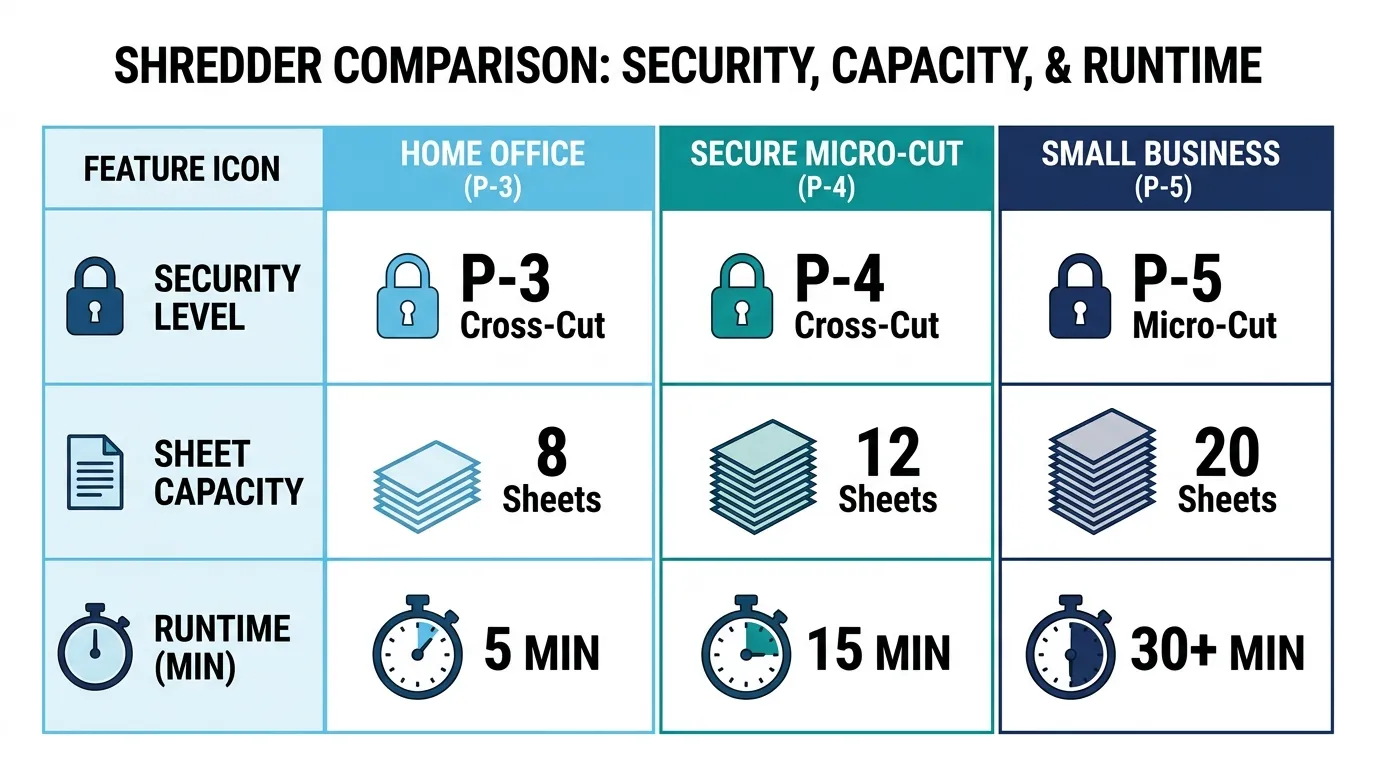
Paper Shredder Comparison Table
Use this table to narrow the list before reading the detailed sections.
| Model | Best For | Cut | Security | Sheets | Runtime | Bin | Auto-Feed |
|---|---|---|---|---|---|---|---|
| Aurora AU1210MA | Overall | Micro-cut | P-4 | 12 | 60 min | 5 gal | No |
| Amazon Basics 8-Sheet Micro-Cut | Budget | Micro-cut | P-4 | 8 | 5 min* | ~4 gal | No |
| Aurora AU1060MA | High security | Micro-cut | P-5 | 10 | 60 min | 6 gal | No |
| Fellowes LX220 | Small business | Micro-cut | P-4 | 20 | 30 / 15 min | 8 gal | No |
| Aurora AU120MA | Auto-feed | Micro-cut | P-4 | 120 auto | 30 min | 5 gal | Yes |
| Fellowes 99Ci | Shared home office | Cross-cut | P-4 | 18 | 30 / 40 min | 9 gal | No |
| Amazon Basics 24-Sheet | Tax piles | Cross-cut | P-4 | 24 | 40 / 50 min | 7 gal | No |
| Aurora AS420C | Compact | Cross-cut | P-3 | 4 | Light duty | 1.32 gal | No |
| Fellowes LX41 | Seniors | Micro-cut | P-4 | 8 | 5 / 30 min | 4.4 gal | No |
*Verify the current Amazon Basics 8-Sheet specification before publication.
The table deliberately avoids a giant specification dump. The goal is to answer the first decision: Which models deserve a closer look?
How to Choose Between These Paper Shredders
The easiest way to choose is to start with your workload, then check security.
If You Shred a Few Pages a Week
Start with a compact P-4 machine.
You don’t need a 20-sheet shared-office model if your normal workload is a handful of bills, envelopes, statements, and old mail.
A shorter duty cycle may be perfectly acceptable when the machine only runs for a few minutes at a time.
If You Work From Home
Prioritize:
- P-4 security
- Reasonable noise
- Pull-out bin
- At least moderate sheet capacity
- Runtime that matches your weekly volume
- Safety features if the office is part of a family space
The Home Office Professional persona cares about workflow, not a huge specification list. The shredder should handle the job without becoming another task to manage.
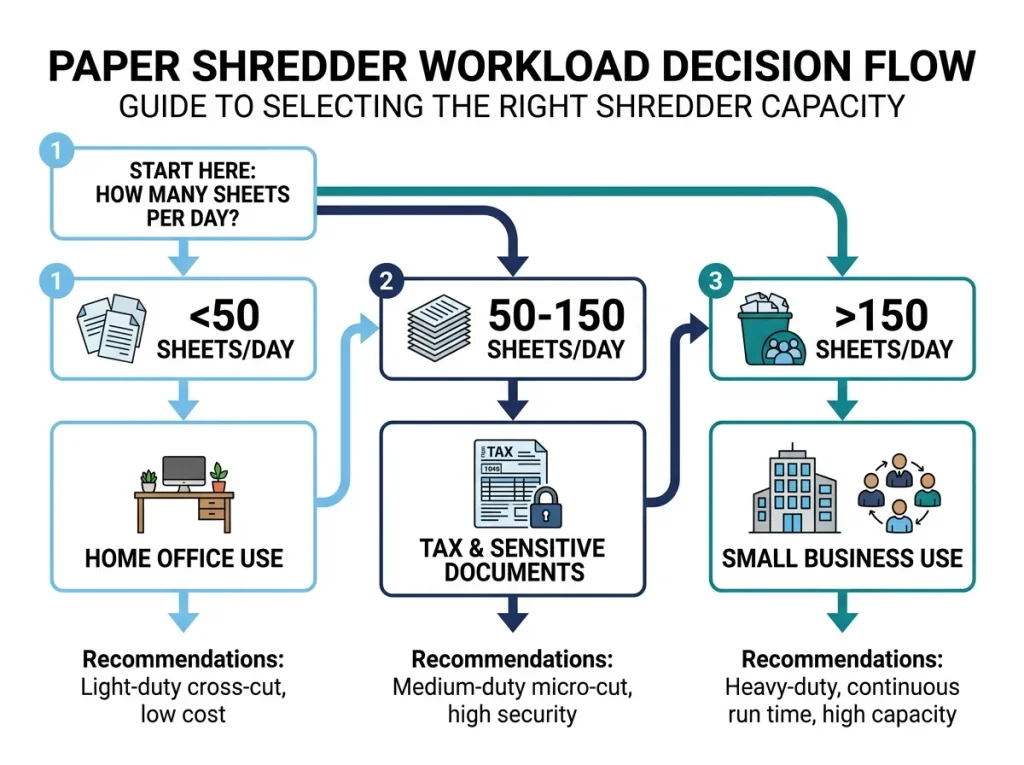
If You Clear Tax Documents Once a Year
Buy for the backlog, not your normal weekly workload.
This is where a machine with a five-minute runtime can become frustrating.
If you’re facing several hundred pages, look at sheet capacity, runtime, cooldown, and bin size together.
The Tax Season Prepper persona is specifically driven by seasonal volume and often discovers too late that a cheap machine cannot keep up.
If Several People Use the Shredder
Move toward a shared-use model.
A higher sheet capacity, longer runtime, larger bin, casters, and better jam management become more valuable when multiple people feed the same machine.
The Fellowes LX220 is explicitly positioned for shared use and combines 20-sheet capacity, P-4 micro-cut shredding, and an 8-gallon bin.
If You Handle Sensitive Client Records
Start with security.
Then check the workload.
A P-5 machine may make sense for some high-sensitivity records, but don’t assume a P-level alone proves regulatory compliance.
Healthcare, legal, and regulated workflows need the applicable regulation and organizational policy checked separately. A shredder specification is not a certification of compliance.
If Security Matters More Than Price
Compare P-4 and P-5 models first.
P-5 gives you a smaller particle size, but that benefit has to justify the added cost and potentially lower throughput for your workload.
The Aurora AU1060MA is one example of a P-5 model with a 10-sheet capacity and 60-minute runtime.
If Noise Matters
Look for published noise-reduction features and independent measurements where available.
Don’t trust a product title that simply says “quiet.”
Fellowes lists SilentShred on the LX office series, while Aurora describes several of its models as ultra-quiet. Those are manufacturer claims, so treat them as product features rather than independent measurements.
What Specifications Actually Matter?
Security Level
Security level tells you how finely the machine destroys paper.
For this page, the practical decision is usually between P-4 and P-5 for sensitive documents.
Don’t choose a P-level without thinking about what information you’re destroying.
Cut Type
The three common categories are strip-cut, cross-cut, and micro-cut.
For sensitive paperwork, cross-cut and micro-cut models are usually the relevant choices.
For a full explanation of the differences, see [how cross-cut, micro-cut, and strip-cut shredders compare].
Sheet Capacity
Sheet capacity tells you how many sheets the manufacturer rates for a single pass under specified conditions.
It does not tell you how quickly the shredder can process a large pile.
A 24-sheet machine can still be a poor choice for your workload if its duty cycle creates long waits.
Duty Cycle
Duty cycle describes how long the machine can operate before it needs to cool.
For example, the Fellowes LX220 is listed at 30 minutes on and 15 minutes off.
That is much more useful than simply saying “heavy duty.”
Runtime and Cooldown
Runtime tells you how long you can shred.
Cooldown tells you how long you’ll wait after the machine reaches its limit.
Both matter.
A 60-minute shredder with a short cooldown can be far more practical for a large purge than a small machine that needs a long break after five minutes.
Bin Capacity
Bin size affects how often you stop.
Small bins work for compact personal machines.
Large bins make more sense for offices and tax-document cleanup.
Don’t forget that shredded paper takes up space quickly.
Noise
Noise matters most when the shredder operates near people.
For a home office, a bedroom-adjacent workspace, or a shared office, look for noise-reduction features and independent measurements where available.
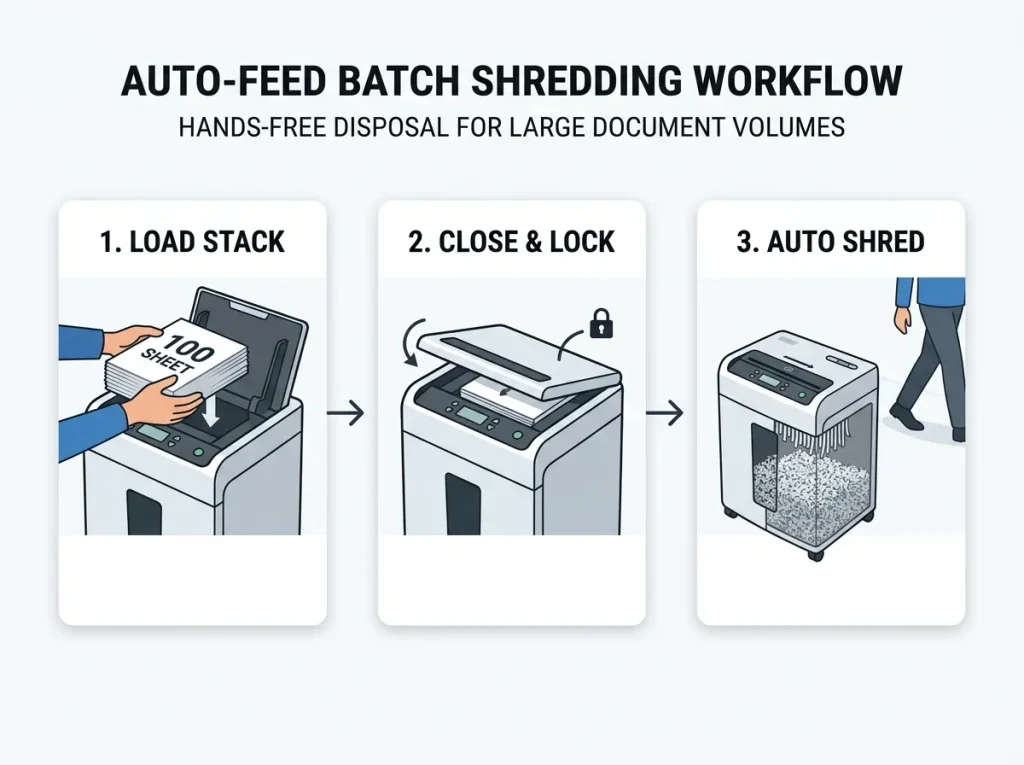
Auto-Feed
Auto-feed is useful when you regularly process batches.
It is less useful if you only shred a few pages at a time.
Before buying, check both the automatic tray capacity and manual-feed capacity.
Anti-Jam
Treat “anti-jam” as a feature, not a promise that jams can never happen.
Fellowes, for example, uses its “100% Jam Proof” terminology for certain LX models. That is the manufacturer’s claim and should be presented as such.
Paper thickness, overloaded feeds, unsuitable materials, and maintenance can still affect operation.
Warranty
Warranty length can matter more for a frequent-use machine than for an occasional personal shredder.
Check:
- Product warranty
- Cutter warranty
- What parts are covered
- Whether labor is covered
- Whether the warranty has usage restrictions
For example, Fellowes lists a 2-year product warranty and 7-year cutter warranty for the LX210 and LX220 series.
Is a More Expensive Paper Shredder Worth It?
Sometimes.
A higher-priced shredder can give you more sheet capacity, longer runtime, a larger bin, better safety features, easier mobility, or stronger warranty coverage.
But price alone doesn’t tell you whether the machine fits your needs.
Cheap Unit
Lower initial cost
↓
Usually lower capacity
↓
Potentially more interruptions
This can be fine for light personal use.
Higher-Capacity Unit
Higher initial cost
↓
More sheets per pass
↓
Longer working sessions
↓
Less downtime for larger workloads
This makes more sense when several people use the machine or when you regularly process large document piles.
The right comparison is cost against workload, not cheap versus expensive.
Common Paper Shredder Buying Mistakes
Buying on Sheet Count Alone
A 20-sheet rating looks impressive.
But if the machine has a short duty cycle, that capacity may matter less than you expect.
Ignoring Duty Cycle
This is one of the easiest ways to buy the wrong shredder.
A five-minute machine can work beautifully for light use and become miserable during a tax-document purge.
Choosing Security Without Considering the Documents
Don’t buy P-5 simply because P-5 sounds safer.
Match the security level to the information you’re destroying.
Buying P-5 When P-4 Is Enough
More security can cost more and may reduce throughput.
For ordinary personal paperwork, a suitable P-4 machine may be enough.
Buying Too Little Capacity for Tax Season
Your normal workload may be 10 pages a week.
Your tax purge may be 500 pages.
Buy for the actual workload you need to process.
Ignoring Bin Design
A small lift-off bin may be fine in a bedroom office.
A pull-out bin is usually more convenient for a larger machine.
Assuming “Anti-Jam” Means Impossible to Jam
It doesn’t.
Treat the manufacturer’s claim as a feature that helps manage jams, not a guarantee that paper can never cause a problem.
Ignoring Maintenance
Paper dust, dull cutters, and poor lubrication can affect performance.
For ownership guidance, see [proper shredder care routines] and [maintenance that prevents jams].
Forgetting the Warranty
A shredder is a mechanical machine.
Warranty terms matter more when the machine will serve several people or process large volumes.
Buying Only on Price
The cheapest machine can be the wrong purchase if you spend every week waiting for it to cool.
Which Shredder Fits Which Buyer?
If you want the shortest possible decision:
| Your Situation | Start With | Why |
|---|---|---|
| Few pages each week | Amazon Basics 8-Sheet Micro-Cut | P-4 security for light use |
| Home office | Aurora AU1210MA | P-4, 12 sheets, 60-minute runtime |
| High-security documents | Aurora AU1060MA | P-5 micro-cut |
| Small business | Fellowes LX220 | 20 sheets, P-4, shared use |
| Large document batches | Aurora AU120MA | 120-sheet auto-feed |
| Tax-season purge | Amazon Basics 24-Sheet | 24-sheet capacity, 40-minute runtime |
| Shared home office | Fellowes 99Ci | 18 sheets, P-4, noise features |
| Very limited space | Aurora AS420C | Desktop footprint |
| Senior user | Fellowes LX41 | P-4, safety lock, simple personal use |
The goal isn’t to find one shredder that wins every category.
It’s to remove the models that don’t fit your situation.
Frequently Asked Questions
What Is the Best Paper Shredder for Home Use?
For many home users, a P-4 shredder with a moderate sheet capacity is a sensible starting point. The Aurora AU1210MA combines P-4 micro-cut security, 12-sheet capacity, and a 60-minute continuous runtime, making it suitable for regular home use.
If you only shred occasional mail, a smaller model can save space and money.
What Is the Best Paper Shredder for a Home Office?
A home-office shredder should balance security, noise, runtime, bin capacity, and footprint.
The Aurora AU1210MA is a strong fit for steady workloads, while the Fellowes 99Ci makes sense for users who value shared-space operation and an 18-sheet capacity.
See our [home-office shredder recommendations] for a narrower comparison.
Is a Micro-Cut Shredder Better Than a Cross-Cut Shredder?
Micro-cut shredders produce smaller particles than cross-cut models, which generally gives you a higher level of document destruction.
That doesn’t mean micro-cut is required for every document. Match the security level to the sensitivity of the information.
For the detailed comparison, see [cross-cut vs. micro-cut vs. strip-cut shredders].
What P-Level Should I Choose?
P-4 is a practical starting point for many personal and home-office workloads involving sensitive information.
P-5 can make sense when the documents warrant a smaller particle size.
Don’t select a P-level without considering the type of information, organizational requirements, and workload.
See [DIN 66399 and P-level security explained] for the full breakdown.
Is P-5 Necessary for Tax Documents?
Not automatically. Tax documents contain sensitive financial information, but the right security level depends on your document-security needs and applicable policies. A P-4 shredder can be suitable for many household tax-document workloads. P-5 is an option when you want a smaller particle size and the additional security is justified.
What Is the Best Shredder for Small Business?
A small business should prioritize sheet capacity, duty cycle, bin size, security level, warranty, and downtime. The Fellowes LX220 is designed for shared use and provides 20-sheet P-4 micro-cut shredding with an 8-gallon bin.
See our [heavy-duty shredders for small business] comparison for business-focused options.
Are Expensive Paper Shredders Worth It?
They can be when your workload is high. A more expensive machine may offer greater capacity, longer runtime, a larger bin, better safety features, or longer warranty coverage. If you only shred a few pages a week, those features may not justify the extra cost.
How Long Should a Paper Shredder Run?
There is no single runtime that fits every shredder. Current models range from short personal-use cycles to 60-minute continuous runtimes. For example, Aurora lists 60 minutes for the AU1210MA and AU1060MA, while the Fellowes LX220 is rated for 30 minutes on followed by 15 minutes off. Choose runtime based on your largest normal workload.
How Often Should I Replace a Paper Shredder?
Replace a shredder when it no longer handles your workload reliably, repair or maintenance costs become unreasonable, or the machine no longer fits your security needs. Don’t replace a functioning machine simply because a newer model exists.
For ownership guidance, see keeping your paper shredder running longer.
How Often Should I Maintain a Paper Shredder?
Follow the manufacturer’s maintenance instructions for your specific model.
Maintenance needs can vary with workload, paper volume, dust, and cutter design. Regular cleaning and manufacturer-approved lubrication can help keep the machine operating properly.
See [proper shredder care routines] for model-specific maintenance guidance.
Our Recommendation by Use Case
The best paper shredder depends on the job.
For most regular home-office users: start with the Aurora AU1210MA if its current price and availability fit your budget.
For light, budget-conscious use: consider the Amazon Basics 8-Sheet Micro-Cut.
For higher-security P-5 shredding: consider the Aurora AU1060MA.
For a small business or shared office: look at the Fellowes LX220.
For large batches with less manual feeding: consider the Aurora AU120MA auto-feed model.
For tax-season document piles: the Amazon Basics 24-Sheet Cross-Cut is worth considering when its current specifications and price remain competitive.
For a shared home office: the Fellowes Powershred 99Ci combines P-4 security, 18-sheet capacity, and noise-reduction features.
For a tiny workspace: the Aurora AS420C makes sense only when the workload and security needs are light.
For a senior user: the Fellowes LX41 provides P-4 micro-cut shredding with a safety lock and a manageable personal-use format.
Before purchasing, check the manufacturer’s current specifications, retailer availability, warranty, and current price. Product models and prices change, and a roundup like this should be refreshed rather than treated as a permanent product list.
Author: William Dahlberg
William Dahlberg researches and writes ShredProInk’s paper shredder buying guides, cross-referencing manufacturer specifications, DIN 66399 security ratings, and verified buyer feedback to help readers match a shredder to their actual document-security needs. See our Editorial Methodology for how recommendations are built.