
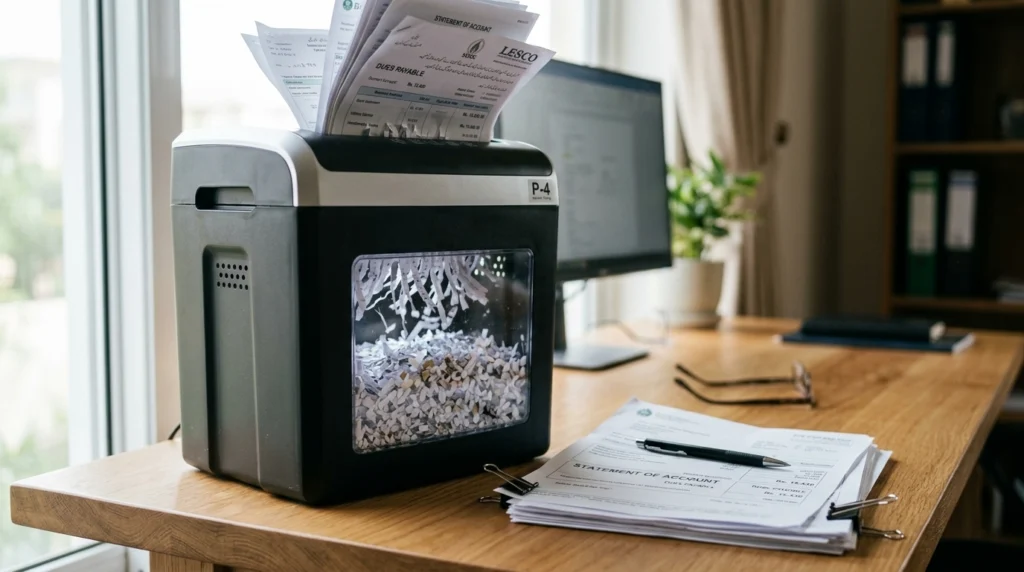
Choosing the right cross-cut shredder starts with your documents, not the highest sheet count or the lowest price. For many home offices, P-4 security, enough runtime for a normal shredding session, and a manageable waste bin make a sensible starting point. If you shred only occasional mail, a smaller machine may suit you better.
Use this guide to compare security, workload, runtime, bin size, and useful features before choosing a model. For a broader look at available machines, see our complete cross-cut shredder guide.
Start With What You Need to Shred
Before comparing specifications, answer three questions:
- What documents do you destroy?
- How many sheets do you usually shred in one session?
- How often do you use the machine?
Personal Mail and Household Financial Records
If you shred bills, bank statements, junk mail, and old tax paperwork, look for a documented security level that fits the information. A compact P-4 cross-cut model can be a practical choice for many households, especially when you regularly dispose of financial records.
If you shred only a few pages each week, you may not need a large office machine. Focus on adequate security, straightforward controls, and a bin that does not need constant emptying.
Home-Office and Small-Business Documents
Client paperwork, invoices, employee records, and confidential business documents may require stricter handling. Check your organization’s disposal policy before choosing a machine. A product’s security rating alone does not establish compliance with every legal or industry requirement.
Your workload matters just as much. A small business that shreds documents every day needs a different machine from a home worker who clears a few envelopes after a busy week.
For broader buying factors across shredder types, consult our paper shredder buying guide.
Choose the Right Security Level: P-3 vs. P-4
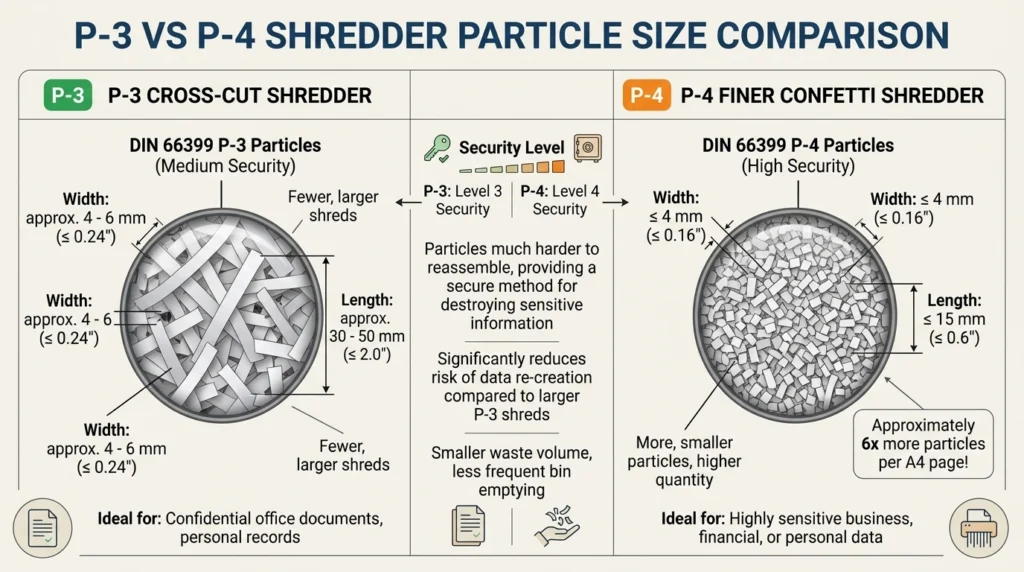
Cross-cut shredders turn paper into small pieces rather than long strips. However, the term cross-cut does not identify one universal security level. Check the manufacturer’s stated DIN 66399 classification and particle size for the exact model.
| Factor | P-3 cross-cut | P-4 cross-cut |
|---|---|---|
| Particle size | Larger particles than P-4 | Finer particles than P-3 |
| Typical consideration | Less-sensitive personal paperwork, where policy permits | More-sensitive personal and confidential paperwork |
| Buying priority | Basic needs and lower ownership cost | Finer destruction for sensitive records |
| Main trade-off | May not meet stricter security needs | May cost more or have different performance limits |
When P-3 May Be Sufficient
A P-3 model may suit routine paperwork with a lower sensitivity requirement. Check your document-handling policy before buying, particularly if the paperwork contains personal or business information.
When to Prefer P-4
P-4 produces finer particles than P-3 and is a common starting point for buyers who regularly destroy bank statements, invoices, tax records, and confidential office paperwork. Confirm the actual rating instead of relying on a product title that simply says “cross-cut.”
For detailed guidance, read our DIN 66399 security levels guide and P-4 vs. P-5 security comparison.
When Cross-Cut May Not Be Enough
If your documents require a higher security level, compare finer-cut machines before buying. Our guide to cross-cut vs. micro-cut vs. strip-cut shredders explains the differences.
Do not assume that P-4 automatically satisfies every HIPAA, GDPR, or other compliance obligation. Follow the rules that apply to your records.
Match Sheet Capacity and Runtime to Your Workload
Sheet Capacity Per Pass
Sheet capacity tells you how many sheets a manufacturer rates the machine to accept in one pass under its stated conditions. It does not tell you how long the motor can operate or how quickly you will finish a large pile.
A 15-sheet shredder may be more practical than a 20-sheet model if it offers a longer operating period and suits your typical workload. Follow the manufacturer’s paper-weight and feeding instructions rather than treating the maximum rating as a target for every pass.
Continuous Runtime and Cooldown
Runtime is the period a shredder can operate before it must stop under its stated operating limits. The cooldown period is the required rest before further use. The duty cycle describes this work-and-rest pattern.
Illustrative example, not a product test: Imagine shredding 150 sheets. A machine rated for three minutes of operation may force you to split the job into several sessions, depending on feed speed and its cooling requirements. A model with a longer documented runtime may handle the same task with fewer interruptions.
Check both runtime and cooldown in the current manual. A high sheet count cannot compensate for an operating limit that does not fit your workload.
Bin Size, Noise, and Physical Footprint
A larger bin reduces how often you need to empty the shredder, but it can increase the machine’s size. Check the bin capacity, external dimensions, and whether the container pulls out easily.
Noise matters when the machine sits near your desk or another person’s workspace. Look for documented noise information or a clearly described quiet-operation feature. Do not assume a premium model is silent.
Choose Features That Solve Real Problems
Pay for features that reduce interruptions or make the machine easier and safer to use.
Anti-Jam, Reverse, and Overload Protection
Auto-reverse can help release paper when a jam occurs. Overload protection can stop operation when the machine detects a problem, depending on the model. Neither feature makes a shredder impossible to jam.
Safety Controls and Easy Emptying
Look for suitable safety locks, automatic shutoff, bin-detection features, and accessible controls. Check how the bin opens and whether the unit is manageable to move. These details matter when several people share a machine or when storage space is limited.
Media Compatibility and Maintenance
Never assume a paper shredder accepts staples, credit cards, CDs, or other materials. Confirm compatibility in the exact model’s manual.
Cross-cut cutters may need regular lubrication, depending on the manufacturer’s instructions. Include oil and routine care in your ownership-cost comparison. Our guide to shredder oiling and maintenance covers the basics.
Top Cross-Cut Shredders by Feature
The following candidates come from ShredPro Ink’s existing cross-cut comparison. They are starting points for a shortlist, not a claim that we tested each machine hands-on. Check the current manufacturer documentation and retailer listing before purchase.
| Candidate | Potential fit | Specifications reported in our existing guide | Limitation to consider | Price |
|---|---|---|---|---|
| Amazon Basics 12-Sheet Cross-Cut | Occasional home use | Up to 12 sheets; referenced configuration lists 5 minutes on and 30 minutes off | Short runtime can slow large jobs | Check Current Price |
| Fellowes Powershred 79Ci | Regular home-office use | P-4; up to 16 sheets; 20-minute runtime; 6-gallon bin | Larger and potentially more expensive than occasional-use models | Check Current Price |
| Bonsaii C169-B | Value-focused home office | P-4; up to 15 sheets; runtime varies across cited documentation; 5-gallon bin | Verify the exact runtime and cooldown for the current model | Check Current Price |
| Bonsaii C149-C | Longer shredding sessions | P-4; up to 18 sheets; reported 60-minute runtime; 6-gallon bin | Larger footprint; confirm current specifications and availability | Check Current Price |
These figures reflect information recorded in the existing guide of the best cross-cut options . Prices, warranties, specifications, and availability can change.
- For occasional shredding: Compare the Amazon Basics model, but weigh its short duty cycle against the size of your usual batch.
- For routine home-office use: Consider the Fellowes 79Ci if its security, runtime, and features fit your needs.
- For value and longer sessions: Compare the Bonsaii C169-B and C149-C, paying particular attention to verified runtime and cooldown.
Read our recommended paper shredder comparisons to review the wider shortlist.
Final Cross-Cut Shredder Checklist
Before you buy, confirm each point:
- I know which documents I need to destroy.
- The documented P-level meets my security needs.
- Sheet capacity fits my normal batch size.
- Runtime and cooldown suit my workload.
- The bin is large enough for my typical sessions.
- Noise, dimensions, and safety features suit my workspace.
- Accepted media, maintenance needs, and warranty are clear.
- I have checked the current price and exact model listing.
If you cannot confirm a specification, do not assume the machine meets your needs. Check the manual or choose a better-documented alternative.
Frequently Asked Questions
Is a Cross-Cut Shredder Good Enough for Home Use?
Yes, a cross-cut shredder can suit many household needs. Choose the actual DIN security level according to your documents, and check runtime and bin size before buying.
Is P-4 Better Than P-3?
P-4 provides finer paper particles than P-3. It is a sensible level to compare when you regularly shred sensitive personal or confidential business paperwork, but your document policy should guide the final choice.
How Much Sheet Capacity Do I Need?
Choose capacity based on your typical batch, not the largest number on the box. A modest-capacity model can work well for occasional paperwork; regular batch shredding calls for closer attention to both capacity and runtime.
Why Does Runtime Matter More Than Sheet Capacity Alone?
Sheet capacity measures the rated number of sheets per pass. Runtime determines how long the shredder can operate before stopping. For large jobs, a longer operating period can reduce interruptions even when another model accepts more sheets per pass.
What Features Are Worth Paying Extra For?
Prioritize features that solve a real problem: useful anti-jam protection, appropriate safety controls, an easy-to-empty bin, adequate runtime, and documented compatibility with the materials you shred. Skip extras that do not improve your actual workflow.
Make Your Shortlist Before You Buy
The right cross-cut shredder balances document security, batch size, runtime, and ease of ownership. Start with the P-level, then compare operating limits and practical features before weighing price.
Ready to compare models? Explore our best paper shredders guide and check current specifications and prices before choosing.